About this app
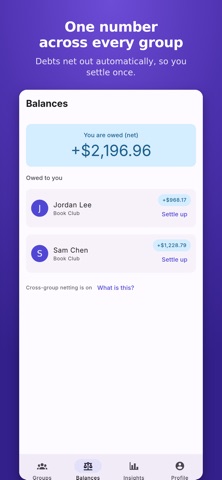
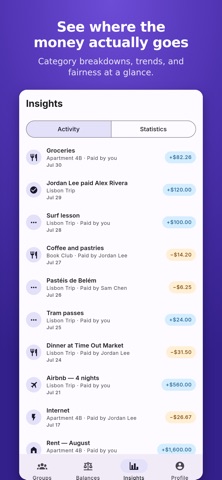
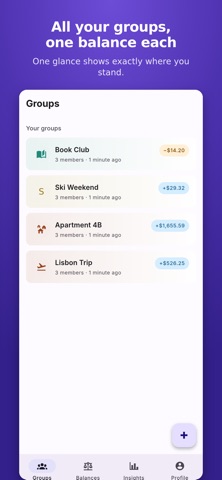
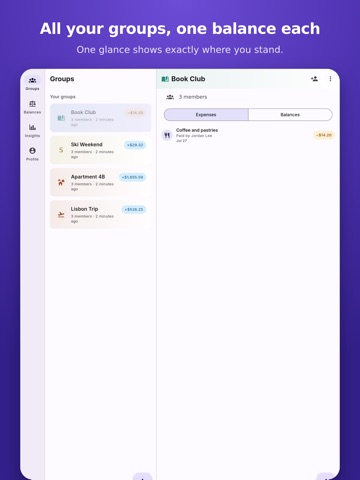
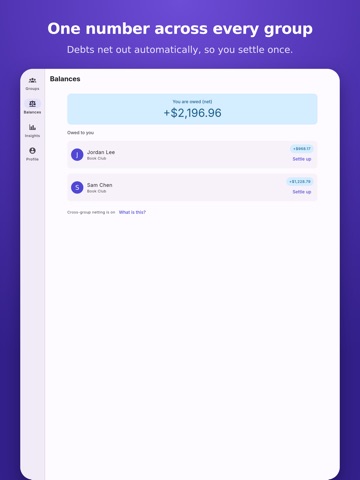
Split Happy makes sharing costs with friends, roommates, and travel groups simple - no spreadsheets, no awkward math, no chasing people for money, and no limits on how many expenses you can log in a day. TRACK EVERY SHARED EXPENSE Create a group for your trip, apartment, or friend circle, then log expenses as they happen. Split evenly, by exact amounts, by percentage, or by shares - whatever fits the bill. Add a photo of the receipt and a note so everyone remembers what it was for. ALWAYS KNOW WHO OWES WHAT Split Happy tracks balances inside each group and nets them across all your groups, so you always see one clear number: who you owe, and who owes you. Turn off automatic debt simplification any time you want the raw balance between every pair instead. SETTLE UP YOUR WAY Record a settlement to keep the books straight, or hand off payment through Venmo, PayPal, or Cash App with one tap. Set up a payment plan to pay off a big expense over time, in installments everyone can see. STAY IN SYNC, EVEN OFFLINE Add expenses and check balances without a connection. Split Happy syncs everything the moment you're back online. BUILT FOR REAL LIFE • Automatic expense categorization, with a tap to correct it • Recurring expenses for rent, utilities, and subscriptions • Notifications when someone adds you to a group, changes an expense that affects you, or settles up • Export any group as a CSV or a full PDF report • Invite friends by email or a shareable link — their expense history merges in automatically when they join • Spending insights: totals by category, trends over time, and how much you've fronted versus your fair share • Comment on any expense, so questions get answered where the expense lives • Light and dark themes, with a color-blind-safe design so balances are always clear Whether it's a weekend trip, a shared apartment, or splitting dinner with friends, Split Happy keeps the math off your plate — so you can just enjoy the time together. Don't worry, split happy.
Audience growth
Ratings growth
Baseline captured. Growth appears after the crawler observes a changed rating count.
Momentum comes from crawler snapshots for the tracked storefront. “Viral growth signal” means unusually fast recent rating gains; it is an indicator, not download data.
Price tracking
Price intelligence
First snapshot captured. The trend line starts after the next crawler price observation.
- First observed Aug 26, 2026 · 6:30 PM Free
Screenshots