About this app
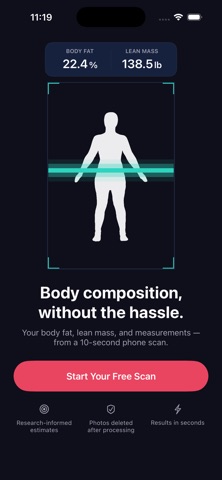
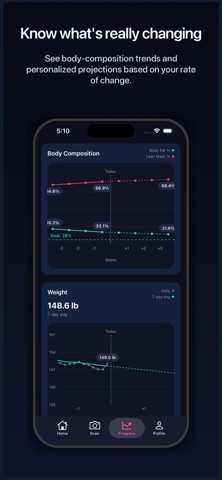
Caliper turns a quick front-and-side scan into body composition estimates, measurements, private shape comparisons, and progress trends—giving you a clearer view of how your body is changing than weight alone can provide. Whether your goal is to lose fat, preserve or build muscle, or improve your overall body composition, Caliper helps you see whether your progress is moving in the direction you want. FAST ENOUGH TO USE REGULARLY Complete your front-and-side scan in seconds and get your results right after you submit. No appointments. No specialized equipment. No waiting months between expensive assessments. Because Caliper is easy to use from home, you can scan regularly and follow the direction and pace of change—not just rely on an occasional snapshot. NOT A GENERIC AI PHOTO GUESS Caliper does not send your images to a general-purpose AI model and ask it to guess. It uses guided scans and purpose-built machine learning models trained with thousands of real body measurements and DEXA body-composition scans. That gives you a more rigorous and consistent way to track body composition and progress over time. SEE WHAT’S WORKING Compare scans, visualize changes in body shape, follow your trends, and see personalized projections based on your own progress. Clear guidance helps you understand what changed, what it may mean, and what to focus on next. Ask follow-up questions to explore your results, trends, and progress in more detail. PRIVATE BY DESIGN Your scan photos are used to take your measurements, then deleted. Caliper keeps your silhouette and results—not the photos themselves. This lets you compare body shape and visualize progress without keeping a gallery of revealing scan photos. Caliper is intended for general wellness and fitness purposes only. Results are estimates and are not medical measurements, diagnoses, or medical advice. Terms of Use (EULA): https://www.apple.com/legal/internet-services/itunes/dev/stdeula/
Latest release
What’s New
- Post-scan guidance now includes a personalized suggested question to help you start a Q&A session. - Bug fixes and performance improvements.
Audience growth
Ratings growth
Baseline captured. Growth appears after the crawler observes a changed rating count.
Momentum comes from crawler snapshots for the tracked storefront. “Viral growth signal” means unusually fast recent rating gains; it is an indicator, not download data.
Price tracking
Price intelligence
First snapshot captured. The trend line starts after the next crawler price observation.
- First observed Sep 1, 2026 · 1:54 PM Free
Screenshots