About this app
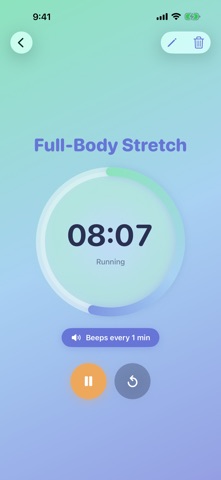
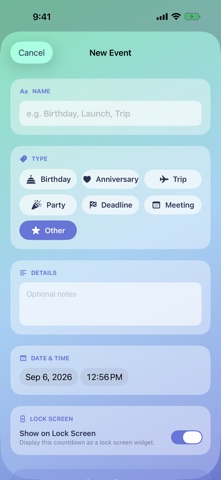
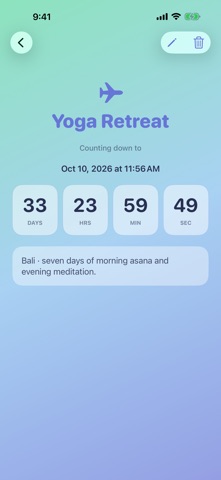
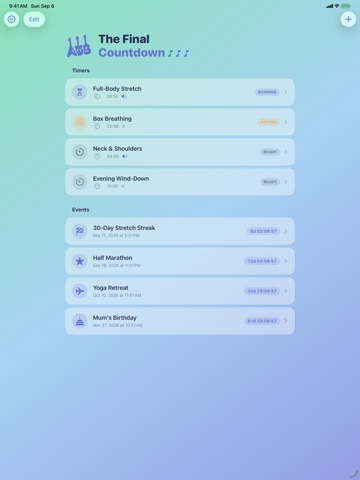
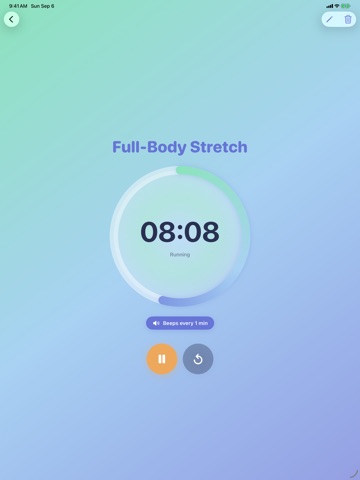
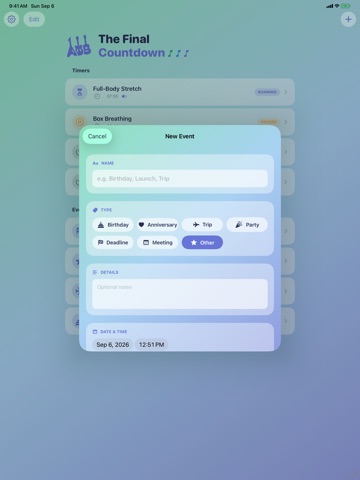
Two kinds of time, one app. The minutes of a stretch, a breathing cycle, or an evening wind-down — and the days until the trip, the race, or the birthday you're counting toward. Countdown handles both, on your iPhone, your iPad, your wrist, and your Lock Screen. No account. No ads. Nothing to buy. Nothing collected. TIMERS FOR ROUTINES Build a timer once and start it with a tap. Name it, set its length, and give it a beep every 10 or 30 seconds, or every 1, 5, 10, 15 or 20 minutes — a cue to change position or switch sides without watching the clock. Several timers can run at the same time, and they keep counting while you're in another app or with the screen off. COUNTDOWNS TO THE DAYS THAT MATTER Add an event with a date and watch the days, hours, minutes and seconds tick down. Mark it as a birthday, anniversary, trip, party, deadline or meeting, and the app dresses it accordingly — with a little celebration when it finally arrives. ON YOUR WRIST The Apple Watch app runs your routines on their own. Start, pause and reset from your wrist, and the display stays on while a timer counts down, so you can hold a stretch or follow a breathing cycle hands-free instead of tapping the watch awake mid-routine. ON YOUR LOCK SCREEN AND HOME SCREEN A running timer appears as a Live Activity on the Lock Screen and in the Dynamic Island, with pause and cancel one tap away. Widgets keep your next event in view — a full countdown on the Home Screen, or a compact one beside the clock on the Lock Screen. BUILT FOR IPHONE AND IPAD The same app, laid out for the screen it's on. On iPad the countdown dial grows and the content settles into a readable column, in Split View and Stage Manager too. MADE TO GET OUT OF THE WAY • Choose your beep and alert tones • Turn sound or haptics off entirely • Decide whether the screen stays awake while a timer runs • Time-sensitive alerts, so the end of a routine isn't lost to a Focus mode • Rename a timer or change its length and beep interval whenever you like PRIVATE BY DEFAULT Countdown makes no network requests at all. There are no analytics, no advertising, no tracking, and no third-party code anywhere in the app. Your timers, events and settings stay on your device — we never see them, because there is nowhere for them to go.
Latest release
What’s New
Countdown now follows you onto your wrist, your Lock Screen, and your Home Screen. APPLE WATCH APP Start and control your routines straight from your wrist. The screen stays on while a timer runs, so you can hold a stretch or follow a breathing cycle without reaching over to tap the watch. LIVE ACTIVITIES AND DYNAMIC ISLAND A running timer now appears on the Lock Screen and in the Dynamic Island, with pause and cancel a tap away. HOME SCREEN AND LOCK SCREEN WIDGETS Keep your next event in view — a full countdown on the Home Screen, or a compact one alongside the time on your Lock Screen. INTERVAL BEEPS Add a cue every 10 or 30 seconds, or every 1, 5, 10, 15 or 20 minutes — useful for changing position or switching sides without watching the clock. EDIT YOUR TIMERS Rename a timer, or change its length and beep interval, after you have created it. MORE CONTROL IN SETTINGS Choose your beep and alert tones, turn sound or haptics off, decide whether the screen stays awake while a timer runs, and control how timers notify you in the background. Plus steadier countdown timing and fixes throughout.
Audience growth
Ratings growth
Baseline captured. Growth appears after the crawler observes a changed rating count.
Momentum comes from crawler snapshots for the tracked storefront. “Viral growth signal” means unusually fast recent rating gains; it is an indicator, not download data.
Price tracking
Price intelligence
First snapshot captured. The trend line starts after the next crawler price observation.
- First observed Sep 11, 2026 · 7:56 PM Free
Screenshots