About this app
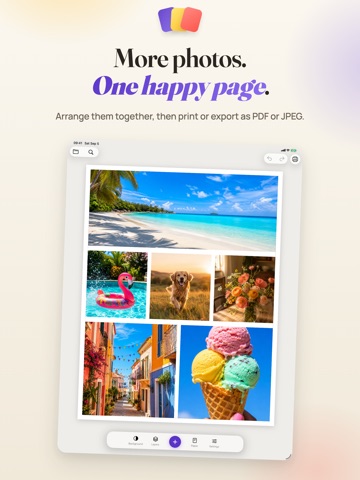
Put several photos on one sheet, arrange them your way and print. Add a caption, a little decoration and a reason to put that page on the fridge. PrintRight turns your photos into scrapbook pages, travel memories and little gifts. Move, resize and rotate each element freely. Scissors and glue can take the day off. Make the page yours • Add several photos at once from Photos or Files. • Add titles and captions with bundled fonts, adjustable spacing and shaped text backgrounds. • Choose built-in symbols or import supported SVG artwork. • Try ready-made styles, photo filters, borders, shadows and decorative paper effects. • Fill text, text backgrounds and drawings with colors, gradients or patterns. Choose a color or gradient for the page itself. Get everything into place • Crop photos, adjust light and color, or remove a photo's background. • Use alignment guides or enter sizes in millimeters, centimeters or inches. • Select several elements to move, resize or rotate them together. Duplicate, lock and change their stacking order. Print it. Keep it. Make another. • Choose A4, US Letter, photo paper or a custom page size. • Print with a compatible AirPrint printer, or export a PDF or high resolution JPEG. Very large pages use PDF export. • Save an editable page as a PrintRight file and open it again later. Photo editing happens on your device. No account, advertising, analytics or in-app purchases. Add the photos. Make the page yours. Print it.
Latest release
What’s New
Your photos now have room for a few words. And a little more personality. • Add titles and captions with bundled fonts, adjustable spacing and shaped text backgrounds. • Try ready-made styles for photos, drawings and text, plus photo filters and decorative paper effects. • Add stripes, dots, checks and more to text, text backgrounds and drawings with pattern fills. • Use gradients in borders and text outlines. • Select several elements and move, resize or rotate them together.
Audience growth
Ratings growth
Baseline captured. Growth appears after the crawler observes a changed rating count.
Momentum comes from crawler snapshots for the tracked storefront. “Viral growth signal” means unusually fast recent rating gains; it is an indicator, not download data.
Price tracking
Price intelligence
First snapshot captured. The trend line starts after the next crawler price observation.
- First observed Sep 8, 2026 · 6:06 AM Free
Screenshots