About this app
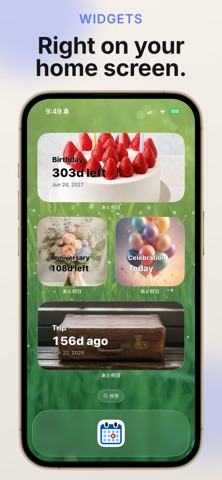
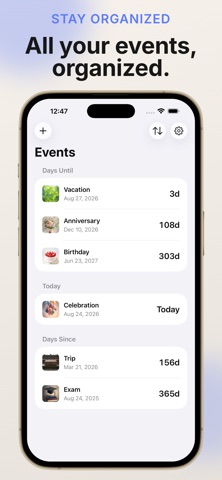
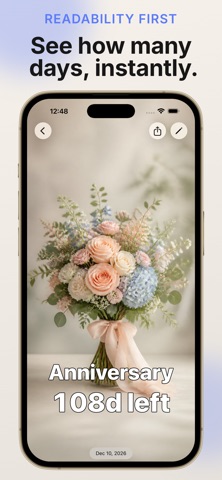
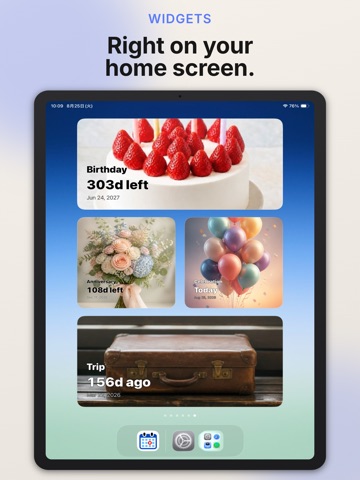
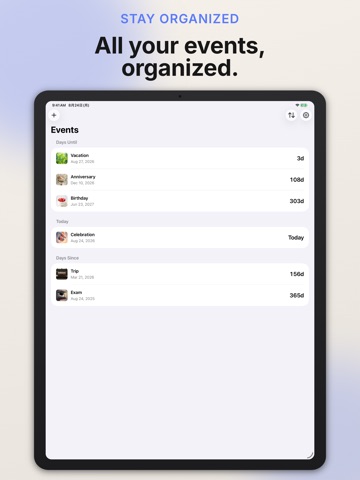
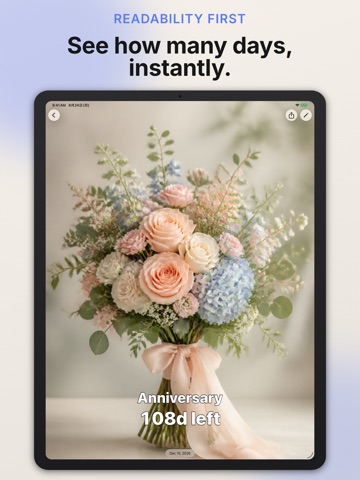
Days Until app lets you see at a glance how much time is left until an important event, or how much time has passed since one. Track birthdays, anniversaries, exam dates, due dates, and more. [Countdown / Count-up Display] · Remaining or elapsed time updates automatically in real time · Choose exactly which units to show: years, months, weeks, days, hours, minutes, seconds · Fractional amounts round up; all-day events show a clear "Today" label on the day itself [Customize Your Background] · Choose photos from your library, built-in illustrations, patterns, or solid colors · Generate images with Apple Intelligence on supported devices · Freely set text color, size, weight, and position — drag it anywhere on screen [Three Sections at a Glance] · Events are automatically sorted into "Upcoming," "Today," and "Since" · They move between sections automatically as time passes, and you can flip the sort order anytime [Repeating Events] · Supports daily, weekly, monthly, and yearly repeats · Automatically advances to the next date once an event has passed [Import from Calendar] · Pick events straight from the calendars on your device · Browse events from multiple calendars at once with "All Calendars" [Share & Widgets] · Create a shareable image combining your background, title, and remaining time · Check events without opening the app using Home Screen widgets (Small/Medium/Large/Extra Large) · Choose a different event for each widget [Apple Watch Support] · Check your event list and countdown screen right on your Apple Watch · See remaining time at a glance with watch face complications [iCloud Sync] · Keep your events in sync across devices (optional, off by default) Available in Japanese and English. Requires iOS 18 or later. Works on iPhone, iPad, and Apple Watch.
Latest release
What’s New
Adjusted UI.
Audience growth
Ratings growth
Baseline captured. Growth appears after the crawler observes a changed rating count.
Momentum comes from crawler snapshots for the tracked storefront. “Viral growth signal” means unusually fast recent rating gains; it is an indicator, not download data.
Price tracking
Price intelligence
First snapshot captured. The trend line starts after the next crawler price observation.
- First observed Oct 3, 2026 · 10:09 PM Free
Screenshots