About this app
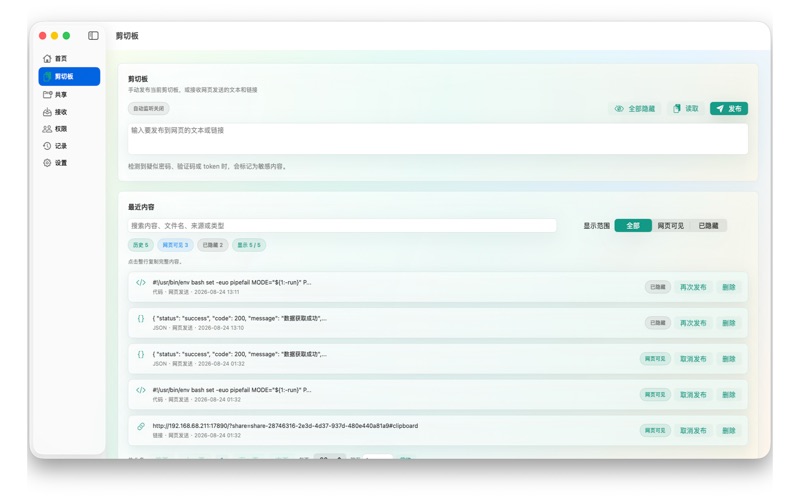
LanDrop for Mac is a local network file, folder, and clipboard sharing tool. Start the sharing service on your Mac, then let nearby iPhones, iPads, computers, or other phones access your shared content from a browser on the same Wi‑Fi network. There is no cloud server required and visitors do not need to install an app. Key features: - Share files and folders from your Mac - Let nearby devices access content from a web browser - Upload and download files - Preview common file types such as images, videos, audio, PDFs, and text files - Share clipboard text and links - Use guest access, or create access accounts with Pro - Control view, upload, and download permissions by shared item - Create limited download links and review activity records with Pro - Use higher concurrent upload limits with Pro for larger local transfer workflows LanDrop for Mac does not rely on cloud transfer. The sharing service runs on your Mac, and data moves within your local network. You can start or stop sharing at any time, and choose guest access for quick sharing or account access for more control. Great for: - Temporarily sharing a Mac folder with phones, tablets, or computers nearby - Receiving photos, videos, and documents from iPhone, iPad, or other devices - Moving large files between desktop and mobile devices - Sharing text, links, and local materials on your network - Avoiding chat apps, cloud drives, or cables for quick local transfers LanDrop for Mac is recommended when you want your Mac to act as the main sharing device. For short mobile sharing sessions, you can also use LanDrop on iPhone and iPad. Terms of Use: https://www.apple.com/legal/internet-services/itunes/dev/stdeula/ Privacy Policy: https://www.aiaudiomagic.com/landrop/privacy
Audience growth
Ratings growth
Baseline captured. Growth appears after the crawler observes a changed rating count.
Momentum comes from crawler snapshots for the tracked storefront. “Viral growth signal” means unusually fast recent rating gains; it is an indicator, not download data.
Price tracking
Price intelligence
First snapshot captured. The trend line starts after the next crawler price observation.
- First observed Oct 8, 2026 · 12:30 PM Free
Screenshots