About this app
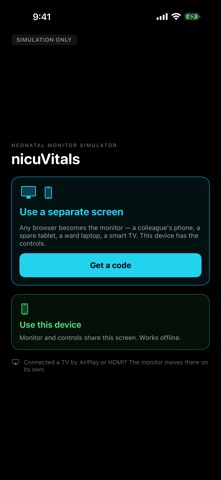
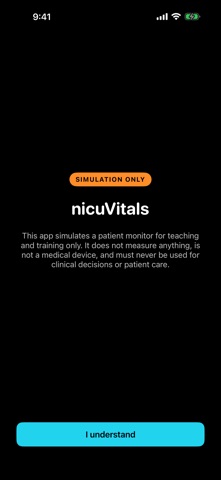
nicuVitals simulates a neonatal patient monitor for teaching, training and simulation. It shows a heart rate, an oxygen saturation and a live plethysmograph trace, with a realistic pulse tone. nicuVitals opens by asking where the monitor should appear: on this device, or on a separate screen. RUN IT ON ONE DEVICE Choose "Use this device" and your iPhone or iPad becomes the monitor — prop it beside the manikin. The controls come up with it: set a heart rate and saturation, then tap the monitor and the display is clean. Tap CONTROLS at the bottom to bring them back. Works entirely offline. The screen doubles as the teaching surface. Students tap APGAR at birth to start the clock; you reach across and tap "Apply sats probe" when they attach the probe, and can Pause to debrief mid-sim as required. PUT IT ON THE BIG SCREEN Connect an Apple TV over AirPlay, or an HDMI adapter, and the monitor moves to that screen while your phone becomes the control panel. No pairing, no room code, no wifi. USE A SEPARATE SCREEN Choose "Use a separate screen" and the app shows a QR code - use that on a colleague's phone, a spare tablet, a ward laptop, a smart TV and that screen becomes the monitor while this device keeps the controls. Nothing to install on the second screen, and no account on either end. WHAT YOU CAN CONTROL - Heart rate 0–300 and saturation 0–100 - Eight presets, from asystole to a vigorous term baby - Probe on and off, with a realistic acquisition delay and signal ramp - Pause the scenario - Pulse tone on or off - Apgar clock with alerts at one and five minutes, adjustable a minute at a time NO ACCOUNTS, NO ADS, NO DATA There is no sign-in, no subscription, no advertising and no analytics in the app. It touches the network only when you deliberately open a room for a second screen, and all that transmits is the numbers you are demonstrating. We count that a room was opened — nothing else, and nothing tied to you. DESIGNED AROUND REAL BEHAVIOUR Values move the way a monitor moves — stepping toward a new number over about twelve seconds rather than snapping. The trace degrades as the rate falls, and below forty beats per minute it appears only in brief glimpses, exactly as a struggling probe behaves. IMPORTANT nicuVitals is a simulator for education and training. It is not a medical device.
Audience growth
Ratings growth
Baseline captured. Growth appears after the crawler observes a changed rating count.
Momentum comes from crawler snapshots for the tracked storefront. “Viral growth signal” means unusually fast recent rating gains; it is an indicator, not download data.
Price tracking
Price intelligence
First snapshot captured. The trend line starts after the next crawler price observation.
- First observed Sep 4, 2026 · 6:14 AM Free
Screenshots