About this app
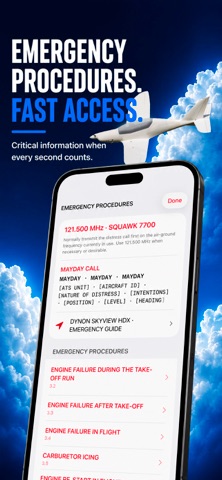
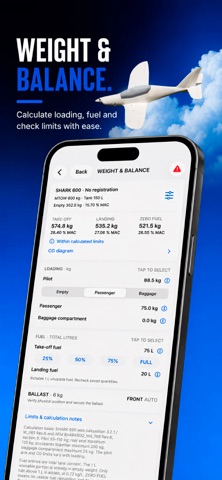
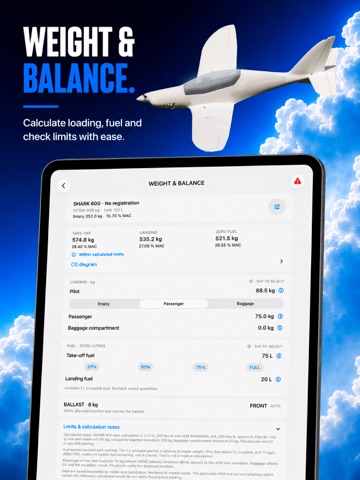
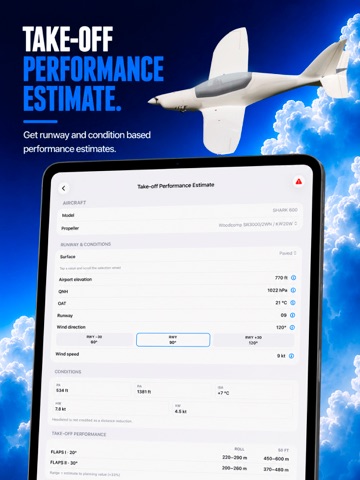
Shark Companion – developed for Shark pilots Shark Companion brings essential cockpit tools and pilot references for Shark aircraft together in one clear app for iPhone and iPad. Interactive checklists and a structured pre-flight inspection are at the heart of the app. A focused interface guides pilots through the different phases of flight and provides quick access to relevant information. Features • Interactive checklists from pre-flight through after landing • Structured pre-flight inspection • Voice control and speech output for checklist operation • Quick access to emergency procedures • SHARK KNOWLEDGE with technical and operational pilot references • “Ask Shark” for quickly finding information within the app • Weight & Balance for supported and verified configurations • Take-off Performance Estimate using selected environmental conditions • Wind and crosswind references • German and English radiotelephony references with practical examples • Country-specific information covering airspace, VFR cruising levels, documents, frequencies and UL regulations • German and English user interface • Optimized for iPhone and iPad Designed for cockpit use The interface is designed to make important information quick to read and access. Large controls, compact result displays and consistent selection controls support efficient operation. Essential functions and reference information are available locally on the device. No user registration is required for the app's core functionality. Important safety notice Shark Companion is a supplementary pilot reference and decision-support tool. It does not replace official aircraft flight manuals, approved checklists, current aeronautical publications or applicable regulations. Calculations and estimates – particularly Weight & Balance and take-off performance – are intended as supporting planning information as identified within the app. In all cases, the documentation applicable to the individual aircraft, current official aeronautical information and the pilot-in-command's decision take precedence.
Audience growth
Ratings growth
Baseline captured. Growth appears after the crawler observes a changed rating count.
Momentum comes from crawler snapshots for the tracked storefront. “Viral growth signal” means unusually fast recent rating gains; it is an indicator, not download data.
Price tracking
Price intelligence
First snapshot captured. The trend line starts after the next crawler price observation.
- First observed Sep 8, 2026 · 3:42 PM Free
Screenshots