About this app
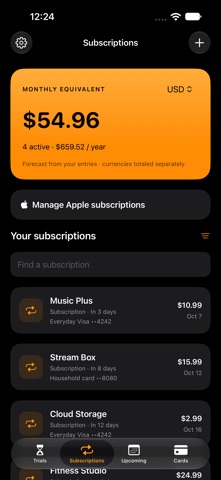
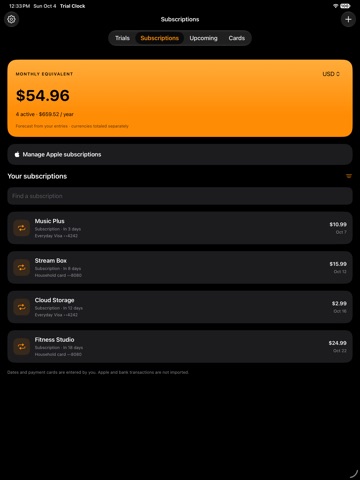
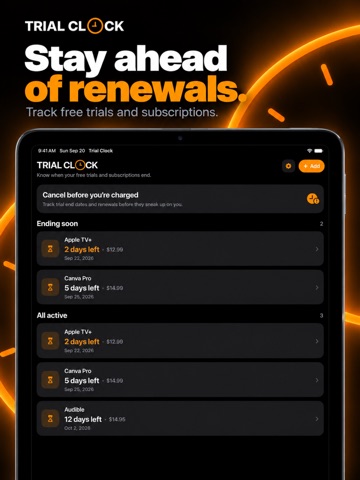
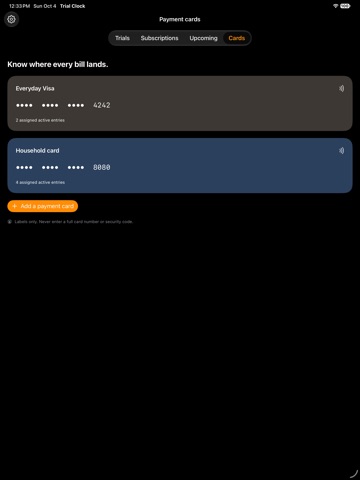
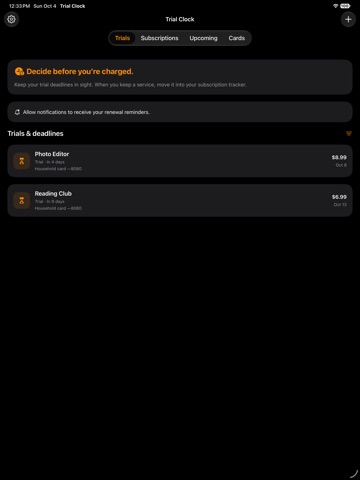
Trial Clock helps you keep track of free trials, renewal dates, and upcoming bills in one place. Set reminders before a deadline and keep account-management links handy so you can decide what to keep or cancel. FREE TRIAL TRACKING • Track free trials and one-time deadlines. • Choose multiple reminders from 1 to 14 days before a deadline. • Save prices, notes, and cancellation links. • Open Apple’s subscription-management page for App Store purchases. • See upcoming deadlines in Home Screen widgets. • Export your entries. TRIALCLOCK PRO — ONE-TIME PURCHASE • Add recurring subscriptions billed weekly, monthly, quarterly, or yearly. • Track Apple subscriptions and services billed directly by a provider. • See estimated monthly and annual spending, with currencies shown separately. • View upcoming bills on a calendar. • Organize subscriptions by payment-card nickname and optional last four digits. Trial tracking and trial reminders remain free. Pro is an optional, non-consumable purchase with no recurring fee. Restore your Pro purchase using the same Apple Account. Your entries are stored on your device, and reminders are scheduled locally. No app account is required. Billing dates, prices, and card labels are entered manually. Trial Clock does not connect to your bank, automatically import Apple subscriptions, verify charges, or cancel subscriptions for you. Complete cancellations with Apple or the service provider. Existing entries remain available when you update. Trial deadlines only become recurring subscriptions when you choose to convert them.
Latest release
What’s New
• Introducing TrialClock Pro: a one-time unlock for recurring subscription tracking, spending summaries, and payment-card organization. • Track weekly, monthly, quarterly, and yearly billing dates for Apple and directly billed services. • See upcoming bills in a calendar and spending estimates grouped by currency. • Add card nicknames and optional last four digits to remember which card pays. • Free trial tracking and reminders remain available, and existing entries are preserved. • Improved recurring reminders and widget date handling.
Audience growth
Ratings growth
Baseline captured. Growth appears after the crawler observes a changed rating count.
Momentum comes from crawler snapshots for the tracked storefront. “Viral growth signal” means unusually fast recent rating gains; it is an indicator, not download data.
Price tracking
Price intelligence
First snapshot captured. The trend line starts after the next crawler price observation.
- First observed Oct 10, 2026 · 4:22 AM Free
Screenshots