About this app
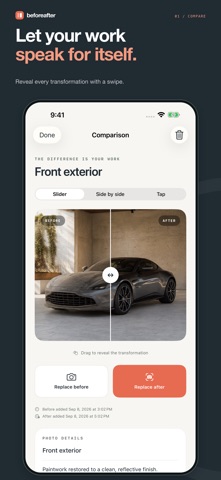
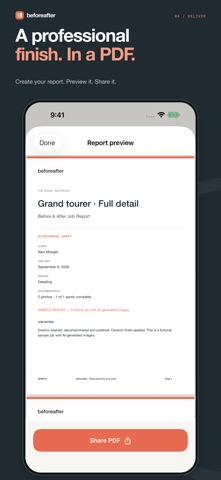
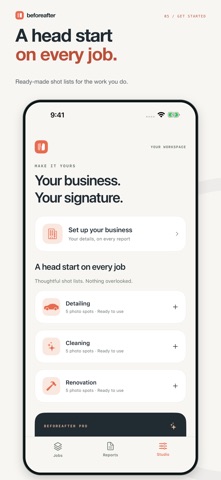
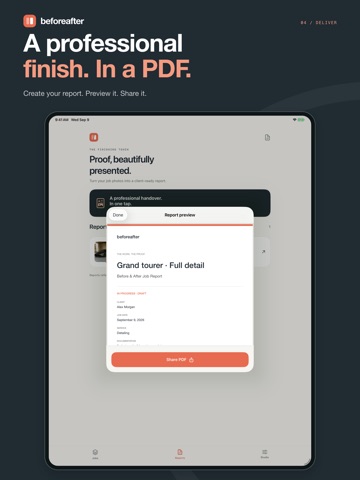
Your work deserves more than a camera roll. BeforeAfter helps service professionals document the starting point, capture the finished result, and hand clients a clear before-and-after report. Built for detailers, cleaners, renovators, and contractors who take pride in what they do. DOCUMENT EVERY JOB Create a job in seconds. Add optional client details, a date, an address, and notes. Keep each area's before and after photos together in a named photo spot, so the right images are always paired. CAPTURE THE SAME ANGLE Take photos with the camera or choose images from your library. Match Shot places a transparent reference of the before photo over the camera to help you line up the after shot. SHOW THE DIFFERENCE Reveal the transformation with an interactive slider, view photos side by side, or tap to switch between before and after. Add observations and record existing damage with a before-only condition record. DELIVER A PROFESSIONAL REPORT Generate a PDF on your device with photos, job details, observations, and your business contact information. Preview it, then share through the iOS share sheet using supported apps and services, including Mail, Messages, and AirDrop. START WITH A SHOT LIST Use ready-made photo spot templates for detailing, cleaning, and renovation. See which spots still need photos and mark the job complete when its documentation is ready. YOUR WORKSPACE, ON YOUR DEVICE No account, advertising, or analytics SDKs. Your jobs and photos are stored in the app on your device. Capture, compare, and create reports offline. You choose when to export or share. App data may be included in your Apple device backups, depending on your settings. START FREE - Up to 3 jobs - Up to 5 photo spots per job - Camera and library import, including Match Shot - All three comparison modes - Standard PDF reports and sharing - Built-in shot-list templates GO PRO WITH ONE PURCHASE BeforeAfter Pro is an optional lifetime, non-consumable in-app purchase. Unlock unlimited jobs and photo spots, add your logo to reports, remove BeforeAfter report branding, and create branded 1080 x 1350 comparison images for social sharing. No subscription or recurring charge. Available storage on your device still applies. Purchasing and restoring Pro require access to the App Store. A clearly labeled fictional sample job lets you explore the app before adding your own work. Sample photos are AI-generated; the app does not generate or retouch your photos with AI. Keep exported copies of important reports. BeforeAfter does not provide cross-device job sync; uninstalling the app removes its local workspace. Photo dates show when images were added to a job. Reports document supplied photos and notes and are not independently verified inspections. Document. Compare. Prove your work.
Audience growth
Ratings growth
Baseline captured. Growth appears after the crawler observes a changed rating count.
Momentum comes from crawler snapshots for the tracked storefront. “Viral growth signal” means unusually fast recent rating gains; it is an indicator, not download data.
Price tracking
Price intelligence
First snapshot captured. The trend line starts after the next crawler price observation.
- First observed Oct 15, 2026 · 8:42 PM Free
Screenshots