About this app
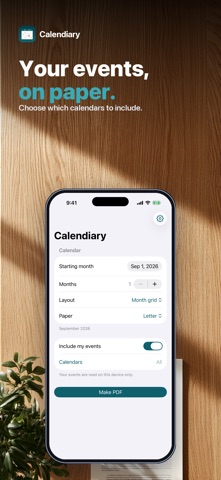
The Calendar app on your iPhone can't print. Calendiary can. Pick a month, choose a layout, and get a clean PDF you can print or share — with your own events on it, or blank so you can fill it in by hand. • YOUR EVENTS, PRINTED — pick which calendars to include, or leave them all on • OR A BLANK CALENDAR — a printable grid for the fridge, the wall, or a planner • THREE LAYOUTS — month grid, week rows, or an agenda list • LETTER OR A4 — one month, or a whole year • TIMES, COLOURS AND ALL-DAY EVENTS carried across from your calendar • Multi-day events drawn as a single bar, the way a printed calendar should look Everything happens on your iPhone. Your calendar is read on the device and never leaves it — no account, no sign-in, no servers. Calendiary is free to try. A single $4.99 purchase unlocks unlimited calendars forever — no subscription, ever. Questions: overlapmarr@gmail.com
Latest release
What’s New
Localized App Store screenshots for every language.
Audience growth
Ratings growth
Baseline captured. Growth appears after the crawler observes a changed rating count.
Momentum comes from crawler snapshots for the tracked storefront. “Viral growth signal” means unusually fast recent rating gains; it is an indicator, not download data.
Price tracking
Price intelligence
First snapshot captured. The trend line starts after the next crawler price observation.
- First observed Oct 2, 2026 · 10:53 PM Free
Screenshots