About this app
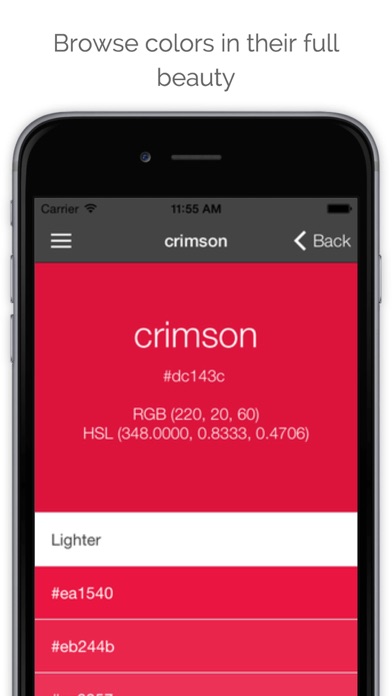
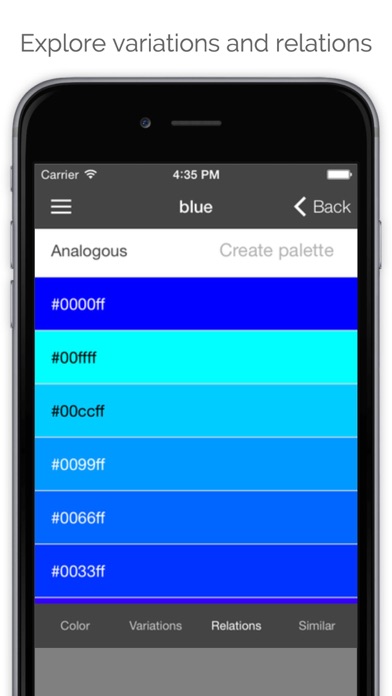
Colore is a color browser and viewer. This app gives you a set of tools to work with, explore and choose colors. Initially targeted at a technical audience of web graphics and designers, Colore has been enriched with a set of functions that make it useful for anyone dealing with colors! visit the colore home page for more details: http://apps.inmagik.com/colore These are some of the functionalities of the latest Colore version: - You can easily browse lists of colors (named css/web colors, crayon colors and wiki colors) and view any color fullscreen on your device. The list is searchable, orderable and filtrable by hue. - By selecting a color you can instantly access variations, relations and similar colors. - Variations show 9 lighter shades, 9 darker shades, 9 saturated shades, 9 desaturated shapes and 30 monochromatic shades. - Relations contain complementary shade, 12 analogous shades, triad and tetrad. - Similar colors show the three closer shades in the various color lists featured by the app. - With the "color picker" you can input RGB, HSL, HSV and HEX codes. - If you need more inspiration from the real world or from existing designs, use the grab from picture feature to extract the dominant color and a colors palette from an image stored in your device or coming directly from the camera or from an URL on the net. Colore also has the concept of "palette", a group of colors. - While browsing and exploring colors, you can save shades to named palettes or to a generic notebook and access them later. - Any color can be saved in different palettes. Items can be copied and moved between palettes with a simple interface - The set of the last 100 colors you have seen is always available. - With the "palette generator" feature you can generating a palette (up to 11 colors) starting from a main color, with various algorithms in RGB and HSL spaces - Once you have discovered interesting shades of color and palettes, you can easily share them with a simple link, which you can copy or send by email directly from Colore. -Anyone with an internet connection will be able to access your color or combination.
Latest release
What’s New
This update from Apple will improve the functionality of this app. No new features are included. Bug fixes, performance and UI improvements.
Audience growth
Ratings growth
Baseline captured. Growth appears after the crawler observes a changed rating count.
Momentum comes from crawler snapshots for the tracked storefront. “Viral growth signal” means unusually fast recent rating gains; it is an indicator, not download data.
Price tracking
Price intelligence
First snapshot captured. The trend line starts after the next crawler price observation.
- First observed Aug 21, 2026 · 12:08 AM Free
Screenshots