About this app
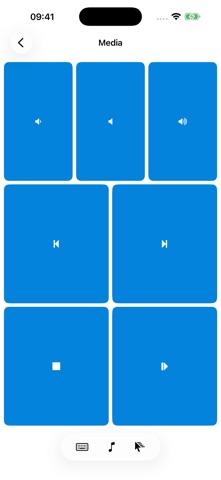
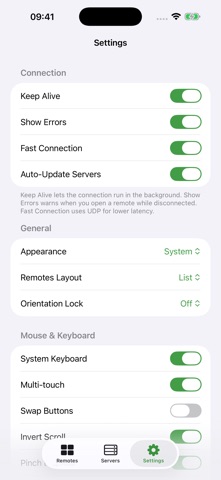
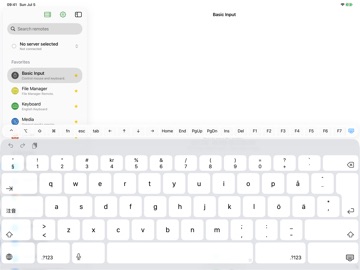
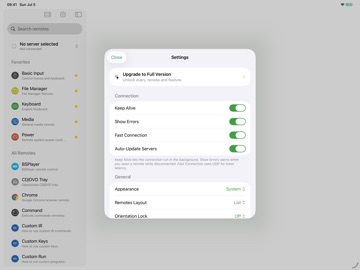
THE ONE-AND-ONLY REMOTE FOR YOUR COMPUTER Unified Remote turns your iPhone or iPad into a universal remote control for your Windows PC, Mac, or Linux computer. Preloaded with support for 100+ programs — mouse and keyboard, media players, presentations, screen mirroring, file browsing, power control, and much more. Completely redesigned from the ground up: a fast, modern app that feels right at home on the latest iPhone and iPad. CONTROL EVERYTHING • Mouse — smooth single- and multi-touch trackpad with scrolling, right-click, and drag • Keyboard — full keyboard input, including modifier keys, function keys, and shortcuts like Cmd+Tab • Media — play/pause, volume, and track controls, always one tap away • Screen — mirror your computer's display and control it remotely • Files — browse and manage files and folders • Power — shut down, restart, lock, and wake your computer (Wake on LAN) WORKS WITH YOUR APPS Spotify, VLC, Kodi, Plex, Netflix, YouTube, iTunes, PowerPoint, Keynote, Google Slides, Chrome, Firefox, Safari, and many more — plus custom remotes you can build yourself. SIRI & SHORTCUTS Wake your computer, open remotes, send actions, type text, and control the mouse — straight from Siri, the Shortcuts app, or your Home Screen. MADE FOR iPAD A dedicated iPad layout with a sidebar for fast switching between remotes — your whole setup, side by side. EASY SETUP 1. Install the free server on your computer — www.unifiedremote.com 2. Open the app; your computer is discovered automatically 3. Start controlling Supports Windows, macOS, and Linux — plus Raspberry Pi and Arduino Yún. Connections can be password-protected and encrypted. FREE & FULL VERSION The free version includes 18 remotes, including mouse, keyboard, media, and power. A single one-time purchase unlocks every remote and the extended keyboard — no subscriptions. Questions or feedback? Visit www.unifiedremote.com for help and support.
Latest release
What’s New
Fixed trackpad drag behavior, added more haptic feedback to the trackpad (optional, see Settings → Mouse & Keyboard → Haptics)
Audience growth
Ratings growth
Baseline captured. Growth appears after the crawler observes a changed rating count.
Momentum comes from crawler snapshots for the tracked storefront. “Viral growth signal” means unusually fast recent rating gains; it is an indicator, not download data.
Price tracking
Price intelligence
First snapshot captured. The trend line starts after the next crawler price observation.
- First observed Aug 21, 2026 · 2:58 PM Free
Screenshots