About this app
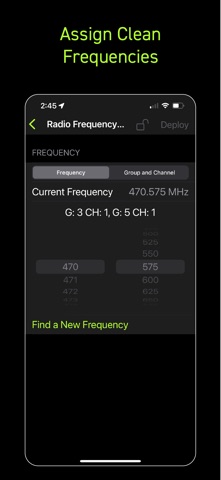
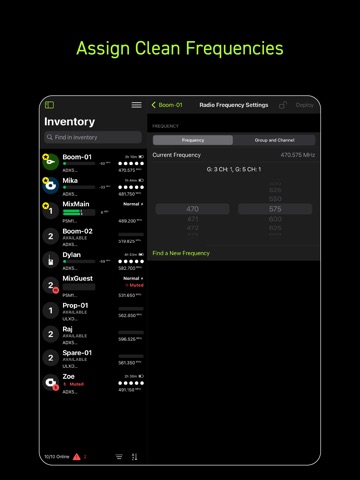
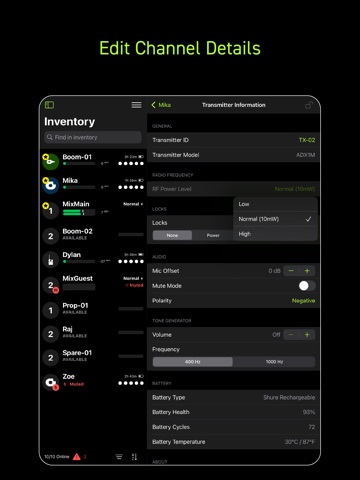
ShurePlus Channels is now Wireless Workbench Mobile. Wireless Workbench Mobile puts wireless control in your hands, wherever the job takes you. Built for professionals on the move, the app replaces ShurePlus Channels with a sleeker interface and powerful new tools, including frequency coordination on iOS mobile devices and guided alerts. Whether on a walk test, working from a cart, or managing a live show, Wireless Workbench Mobile keeps you connected to your Shure Wireless and one step ahead. Wireless Workbench Mobile supports the following Shure devices: • Axient® Digital * • ANX4 • SLX-D+ • SLX-D® • ULX-D® • QLX-D® • PSM®1000 *Axient Digital PSM not yet supported Wireless Control, Always Within Reach: • Control your Shure wireless systems on the go with fast, intuitive mobile access. • Make quick, informed decisions with an interface that highlights key channel data. • Scan and assign clean frequencies on iOS using built-in coordination tools to simplify your setup. • Receive guided alerts that show precisely what’s wrong and how to fix it. • Tag, color-label, and favorite channels to match your unique workflow. • Connect over Wi-Fi or Ethernet for reliable performance in any environment. How It Works: Wireless Workbench Mobile connects to supported Shure Wireless, displaying essential RF, battery, and audio data in real time. The streamlined layout adapts to your workflow, enabling you to focus on what matters most. Scan and deploy frequencies, monitor system performance, and troubleshoot directly from your tablet or phone. Why It's Better: On the Go Coordination Find and deploy frequencies to your Shure Wireless from your iOS mobile device with the same trusted performance of Wireless Workbench desktop. Stay Ahead of Issues Real-time alerts flag potential problems and provide guidance to resolve them, keeping your production on track. Built for How You Work Designed for speed and precision, the focused interface supports fast decisions in live production environments.
Latest release
What’s New
We are constantly working to improve our app to give you a better experience. Every update contains bug fixes and general enhancements. This update also includes: • Support for ANX4 Thank you for using Wireless Workbench Mobile! Your feedback is important to us and will help to improve our app in the future – leave us a review or send us feedback in the app.
Audience growth
Ratings growth
Baseline captured. Growth appears after the crawler observes a changed rating count.
Momentum comes from crawler snapshots for the tracked storefront. “Viral growth signal” means unusually fast recent rating gains; it is an indicator, not download data.
Price tracking
Price intelligence
- First observed Aug 13, 2026 · 11:54 PM Free
Screenshots