About this app
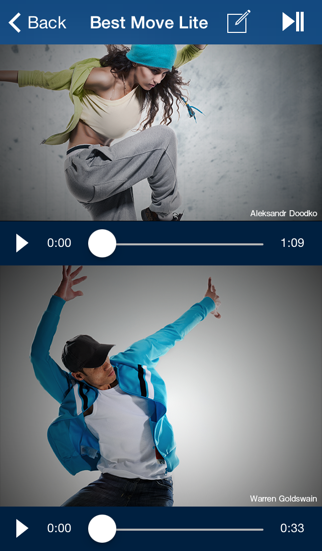
Let's check our "Best Move" ! for the "overlay & side-by-side" videos movement. Using the "Best Move" you can check: Baseball batting & pitching form, Kicking form in soccer, Tennis swing, Golf swing, Dance choreography ... and so on. You can check your movement or videos of top athletes by "overlaying & lining up" the videos. You can also draw a line in the video to check your body position. #Features - Video Shooting - Single video play - Side by side video play - Overlap video play - Video editing (Line drawing) - Settings ・Video audio setting ・Video transmission setting #How to use 1.Take video. *if you don't have any. 2.Start BestMove, then video list is displayed. 3.Choose video(s) and play. - Single play - Side-by-side play - Overlay play 4.Let's draw a line in the video. Select a video from the video playback screen, tap the icon in the upper right. You can change the thickness and the color of the line. # Settings (Top left icon) For video playing, you can change settings below. - Opacity: 0 -- 1.0(No transparency) - Sound: ON/OFF # Others - For video editing, please use other app/equipment. #Compatible models - Requires iOS7 or later Special Thanks to Dr.Kenmoku Tomonori, Department of Orthopaedic Surgery Kitasato University School of Medicine
Latest release
What’s New
This app has been updated by Apple to prepare for watchOS 27 compatibility. No new features are included. Support for iOS8: - An issue that prevents BestMove from listing videos which has been saved in Camera Roll will be fixed with iOS 8.0.2 or later. - Minor bug fixes.
Audience growth
Ratings growth
Baseline captured. Growth appears after the crawler observes a changed rating count.
Momentum comes from crawler snapshots for the tracked storefront. “Viral growth signal” means unusually fast recent rating gains; it is an indicator, not download data.
Price tracking
Price intelligence
First snapshot captured. The trend line starts after the next crawler price observation.
- First observed Sep 4, 2026 · 5:40 AM Free
Screenshots