About this app
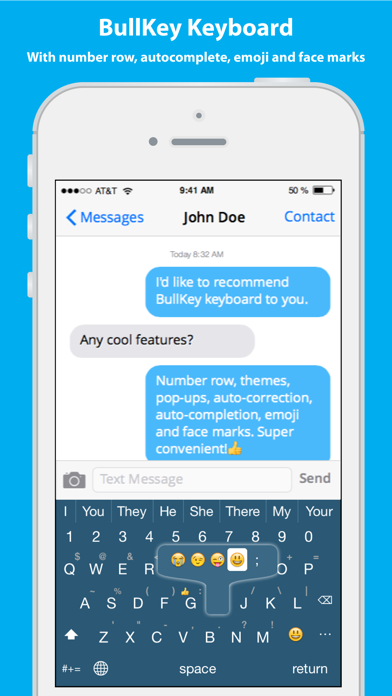
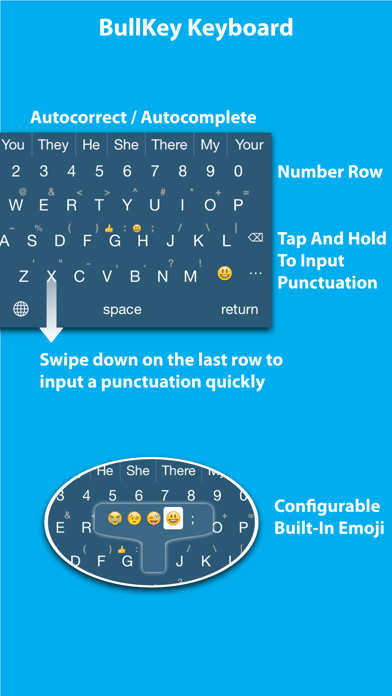
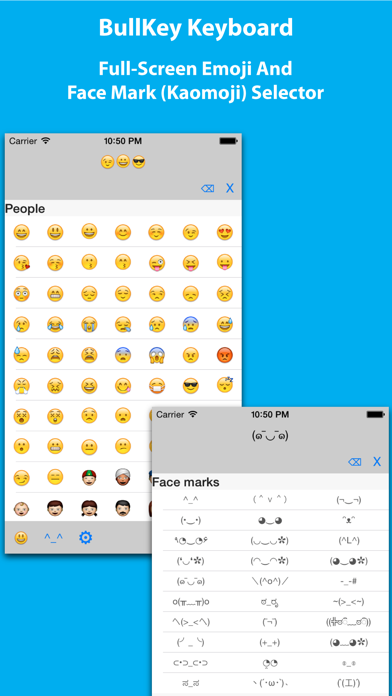
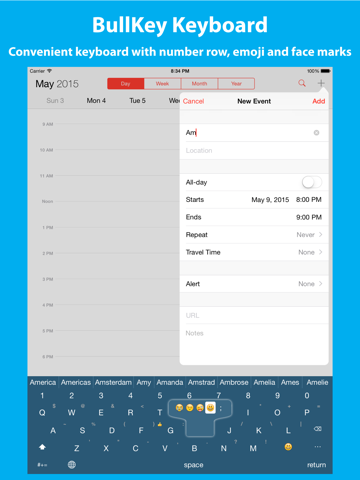
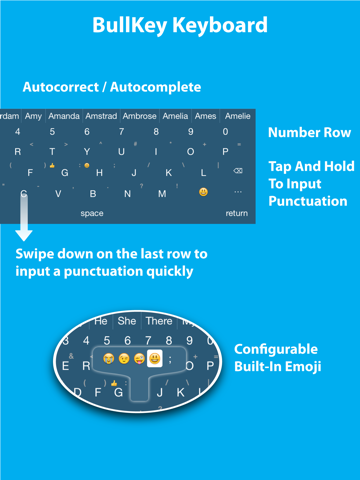
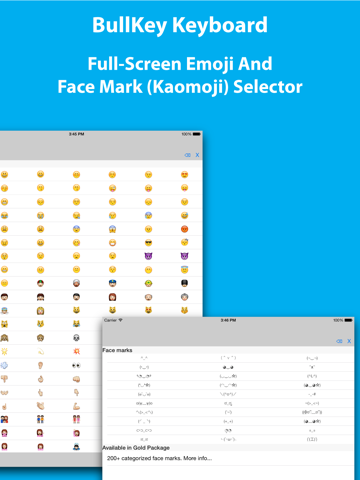
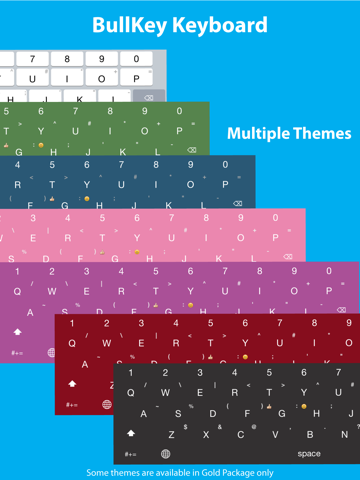
BullKey is a convenient and powerful keyboard. Features of BullKey Keyboard: 1. Number row 2. Tap and hold a button to input punctuation 3. Tap and hold a button to show additional keys including emoji 4. Customizable additional keys 5. Tap the smiley face button to show a full-screen emoji selector. You don't need to switch to another keyboard. 6. Face marks (Japanese Kaomoji, 顔文字, for example, (´・ω・`) ) 7. Swipe down on Z, X, C, V, B, N or M to input a punctuation quickly. 8. Double tapping the space bar will insert a period followed by a space. 9. Multi-touch! You don't need to lift one finger before tapping with the next finger. 10. Auto-Capitalization 11. Autocomplete 12. Autocorrect 13. Supporting shortcuts. For example, you can type "omw" to input "On my way!" (You must define your shortcuts in Settings > General > Keyboard > Shortcuts) 14. Multiple themes
Latest release
What’s New
This update from Apple will improve the functionality of this app. No new features are included. When user holds a key down on devices supporting 3D touch (e.g. iPhone 6s and 6s plus), it takes a long time (3 seconds) to show the hidden keys. This issue is fixed in this update.
Audience growth
Ratings growth
Baseline captured. Growth appears after the crawler observes a changed rating count.
Momentum comes from crawler snapshots for the tracked storefront. “Viral growth signal” means unusually fast recent rating gains; it is an indicator, not download data.
Price tracking
Price intelligence
First snapshot captured. The trend line starts after the next crawler price observation.
- First observed Aug 7, 2026 · 9:27 PM Free
Screenshots