About this app
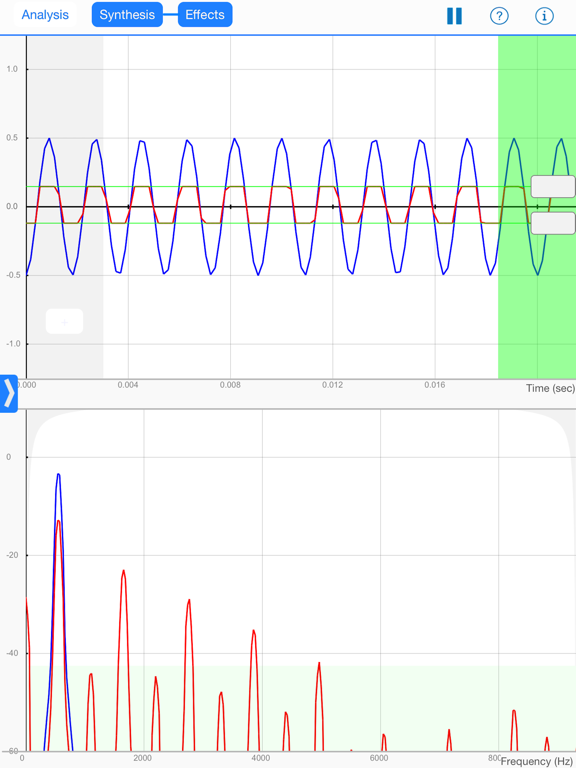
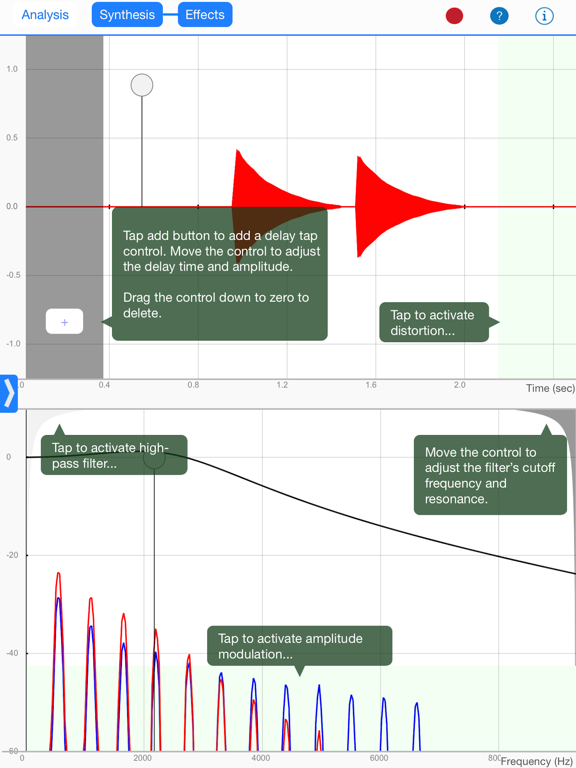
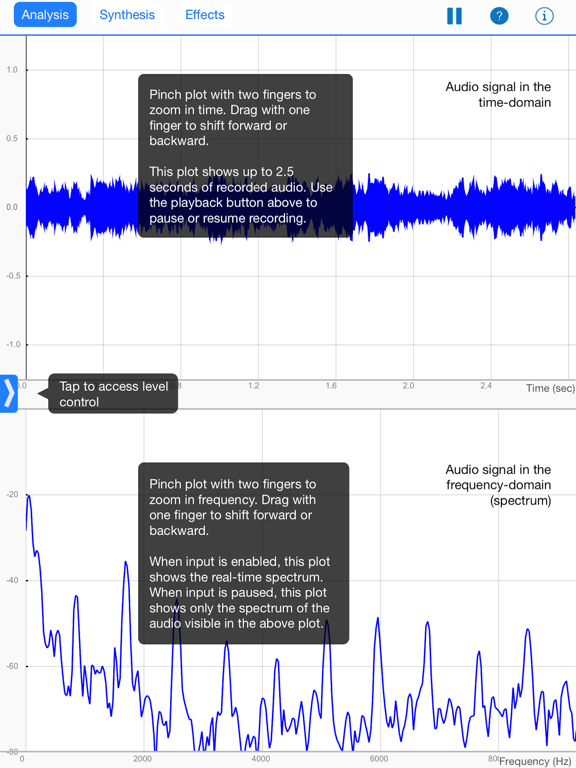
AudioWorks is an interactive, educational tool for sound analysis and intuitive visual manipulation of sound effects. Developed for Drexel University's Summer Music Technology (SMT) program, AudioWorks gives users visual representations of sounds picked up by the iPad's internal microphone or line input. These visuals help users identify what makes different sounds and musical instruments unique in the shape of the waveform (time domain) and its spectral content (frequency domain). An additional synthesis mode allows users to approximate the frequency content and transient characteristics of real-world musical instruments by adjusting the amplitudes of individual sine waves (additive synthesis) plus noise, and by drawing amplitude envelopes directly on the plot. Users can also draw one period of an arbitrary waveform and examine its frequency content. The monophonic synthesizer is controllable using a frequency slider, on-screen keyboard, or external MIDI keyboard. Finally, an effects mode is used to illustrate how a few common sound effects (distortion, filtering, delay, and amplitude modulation) modify musical instrument signals, and what these changes look like in time and frequency. Each effect parameter is manipulated in an intuitive way that directly relates to how the effect works, and a contextual help menu guides the user in activating the effect and modifying its parameters. Effects can be applied to any signal coming in through the microphone or line input, or signals generated in synthesis mode. Using an external MIDI controller, effects parameters can be dynamically mapped to control changes and channel aftertouch messages.
Latest release
What’s New
This update from Apple will improve the functionality of this app. No new features are included. - Added saving and loading of recorded audio clips
Audience growth
Ratings growth
Baseline captured. Growth appears after the crawler observes a changed rating count.
Momentum comes from crawler snapshots for the tracked storefront. “Viral growth signal” means unusually fast recent rating gains; it is an indicator, not download data.
Price tracking
Price intelligence
First snapshot captured. The trend line starts after the next crawler price observation.
- First observed Aug 25, 2026 · 10:51 AM Free
Screenshots