About this app
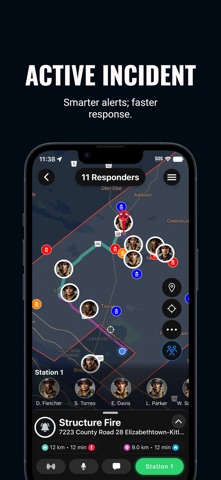
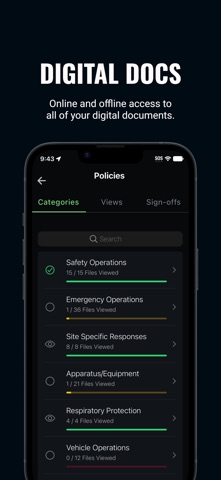
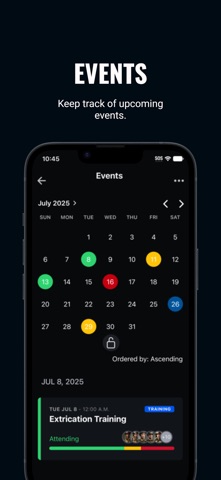
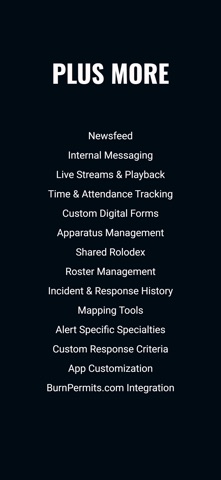
Who’s Responding: The ultimate solution for alerting and coordinating specialized teams, groups, or individuals with precision and speed. Whether you're mobilizing emergency services, filling critical overtime shifts, or managing complex response operations, Who’s Responding is fully customizable to meet your unique needs. Trusted by Diverse Teams For over a decade, thousands of professionals across various industries rely on Who’s Responding, including: • Emergency Services (Fire, Police, EMS) • Emergency Management • Search & Rescue • Public Works, Waste & Water Treatment • Health & Safety Teams • Wildlife Rescue • Mental Health Response • Hospitals • Schools • Mining Operations Powerful Features for Seamless Coordination • Customized Notifications: Tailor alerts to your team’s specific requirements. • Real-Time Tracking: Know who’s responding and their ETA instantly. • Navigation: Turn-by-turn directions to incident locations. • Live Radio: Talk on a radio? Listen live anytime, anywhere. • Hands-Free: Auto-speak alerts for safe, on-the-go use. • Mapping Tools: Add markers, labels, and boundaries for clear visualization. • Digital Resources: Access SOGs, SOPs, preplans, and more on demand. • Event & Attendance Tracking: Monitor participation and response history. • Availability Management: View current and future staff availability. • Shared Rolodex: Centralized contact list for quick communication. • Apparatus Management: Streamline equipment and vehicle assignments. + So many more Why Choose Who’s Responding? With endless customization and a proven track record, Who’s Responding empowers teams to act faster, smarter, and more efficiently. Join thousands of users who trust us to deliver mission-critical coordination. Get Started Today Visit www.WhosResponding.com to learn more and start your 45-day free trial. Note: You must be a member of a Who’s Responding subscription to use this app. Note: Continued use of GPS in the background may reduce battery life.
Latest release
What’s New
Improved reliability of real-time responder listings
Audience growth
Ratings growth
Baseline captured. Growth appears after the crawler observes a changed rating count.
Momentum comes from crawler snapshots for the tracked storefront. “Viral growth signal” means unusually fast recent rating gains; it is an indicator, not download data.
Price tracking
Price intelligence
First snapshot captured. The trend line starts after the next crawler price observation.
- First observed Aug 21, 2026 · 12:20 PM Free
Screenshots