About this app
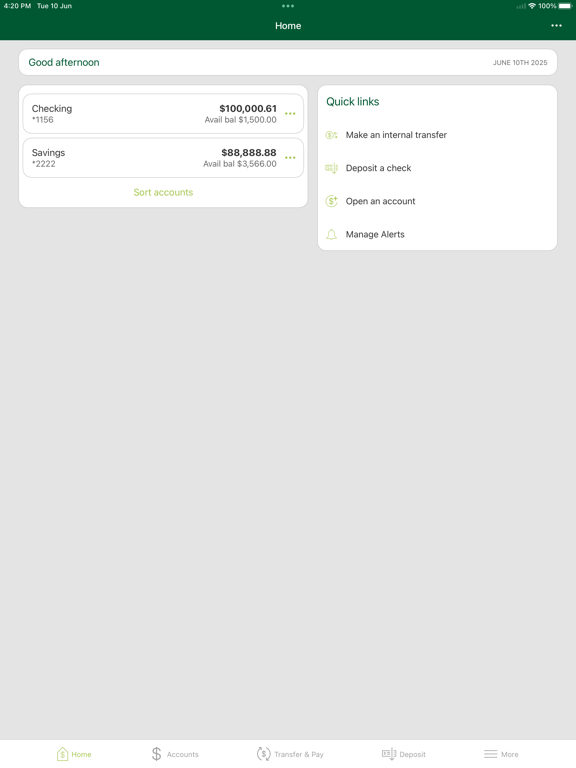
With Arbor Mobile, your Arbor Bank accounts are now as mobile as you are. You can access your accounts on-the-go- easily and safely. Getting started is easy: • Go to arborbanking.com and log into Online Banking. • Within Online Banking, go to the 'Services' tab and choose 'Arbor Mobile'. • Complete the enrollment process. Once Arbor Mobile is downloaded to your mobile device you can securely: • Get account balances • View transaction history • Pay bills • Transfer funds between accounts • Locate Arbor Bank branches and ATMs Arbor Mobile is a free service to Arbor Bank customers, but message and data rates from your mobile service provider may apply.
Latest release
What’s New
We are continually releasing new updates to further improve your mobile banking experience. This version includes user interface improvements, security updates and bug fixes. Please be sure to turn on automatic updates to make sure that your app is always up to date.
Audience growth
Ratings growth
Baseline captured. Growth appears after the crawler observes a changed rating count.
Momentum comes from crawler snapshots for the tracked storefront. “Viral growth signal” means unusually fast recent rating gains; it is an indicator, not download data.
Price tracking
Price intelligence
First snapshot captured. The trend line starts after the next crawler price observation.
- First observed Aug 23, 2026 · 12:02 PM Free
Screenshots