About this app
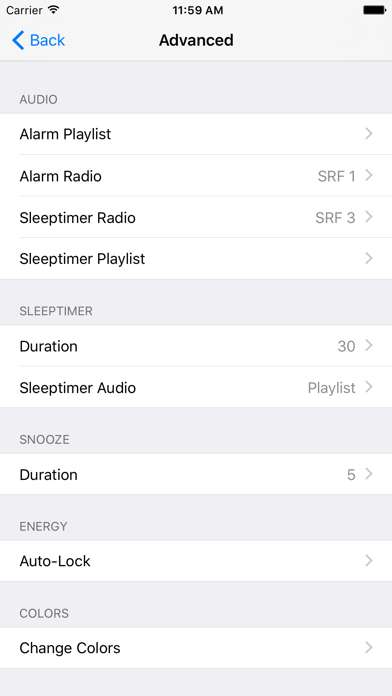
The Digital Alarm Clock turns your iPhone into an All-In-One alarm clock with an alarm that play your favorite music, your favorite radio station, your own records or just a ringtone. With the Sleep timer you can fall asleep comfortably with your own playlist or your self-defined radio! ************************************************** - Wake up with your favorite music. You can either choose a playlist, a radio station or a record. - Define your own radio station, or choose one from the online catalog - Fall asleep to relaxing music from your playlist or by a radio station ************************************************** Details: * Clock * - Vertical and horizontal modes - Displays the next alarm time - Display the current weather (optional) - Click on weather-label to show 5-day forecast - Direct launch the Sleep timer with volume control - Set up your own colors for the background, clock and shadow * Alarm clock * - Create multiple alarm clocks - Create your own playlists with songs for the alarm clock Wake-up services: - ringtone - playlist - radio - record - Radio- and Playlistalarm only works if App is running in Foreground - 1 integrated alarm-tone - Huge "Snooze" - / "Alarm" buttons - Snooze time freely adjustable - Adjustable alarm volume - The alarm works even when the screen lock is activated - Background Alarm: you will receive alarm notifications when the app is not running! - Offline Alarm: Alarm with Ringtone, if no Internet connection * Sleep Timer * - Create your own playlist with songs for the sleep timer - Select a radio station to fall asleep - Select the Sleep Timer duration * Tips * - You can dim the screen by dragging your finger over it - Pressing long on Pause-Button you can choose the sleeping duration Get this app now before the price goes up and take advantage of the FREE updates! Before you write a bad review, please contact me. Just so I can improve the app
Latest release
What’s New
Fixed a problem with font size of time in landscape mode
Audience growth
Ratings growth
Baseline captured. Growth appears after the crawler observes a changed rating count.
Momentum comes from crawler snapshots for the tracked storefront. “Viral growth signal” means unusually fast recent rating gains; it is an indicator, not download data.
Price tracking
Price intelligence
First snapshot captured. The trend line starts after the next crawler price observation.
- First observed Aug 20, 2026 · 3:58 AM $4.99
Screenshots