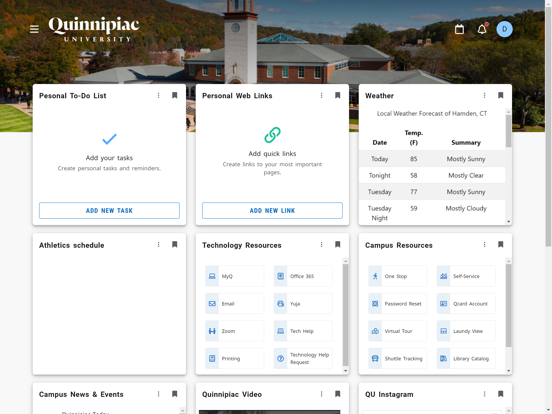
About this app
The Quinnipiac app provides you the latest information about Quinnipiac University and access to useful applications wherever you are. You can use the Quinnipiac app to find contact information, for assistance with finding campus buildings, or to check athletics event information. Features: Maps – search for campus buildings by name or pinpoint them on the map and see your current location Important Numbers – quick access to essential and important phone numbers (Security, Student Health Services, Registrar) Blackboard – access your Blackboard courses Athletics Events – ability to see the game schedules of all QU athletics events QCard – view your QCard balance or deposit funds Course Search – view course sections and the times each section is available Password Reset – forgot your Quinnipiac domain password? You can easily change it! Other additional options are available such as: University Calendar, Dining Menu & Hours, QU Social Media, Official Quinnipiac News Feed, and much more!
Latest release
What’s New
New layout and experience
Audience growth
Ratings growth
Baseline captured. Growth appears after the crawler observes a changed rating count.
Momentum comes from crawler snapshots for the tracked storefront. “Viral growth signal” means unusually fast recent rating gains; it is an indicator, not download data.
Price tracking
Price intelligence
First snapshot captured. The trend line starts after the next crawler price observation.
- First observed Sep 4, 2026 · 9:15 AM Free
Screenshots