About this app
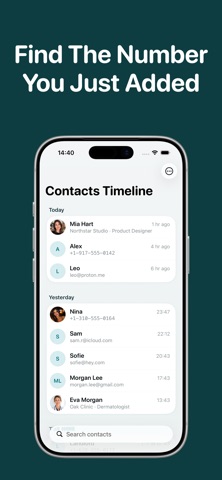
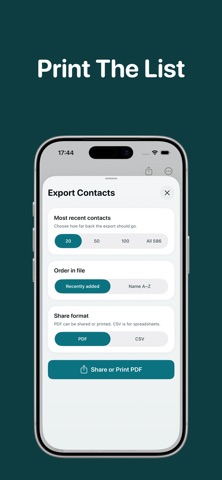
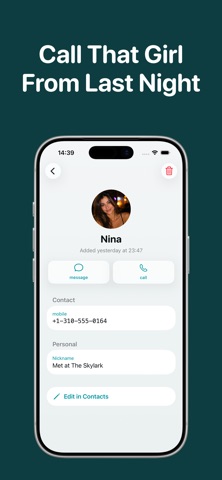
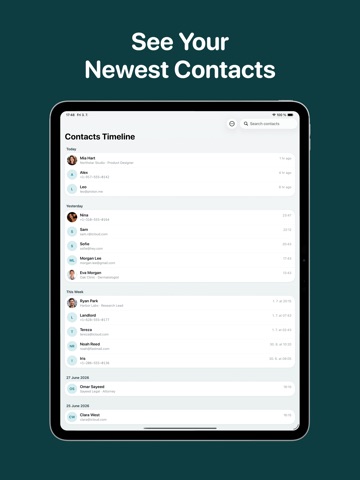
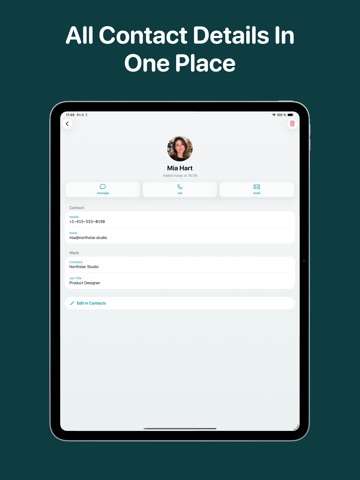
See your newest contacts first. Contacts Timeline turns your address book into a clean timeline, sorted by when each contact was added. New contacts appear at the top, grouped into Today, Yesterday, This Week, and older dates, so the person you just saved is easy to find again. Open any contact to see the available details: phone numbers, email addresses, company, job title, birthday, photos, and more. From there, you can call, send a message, email, copy contact info, open the contact in the system Contacts app to edit it, or delete it. Built for the moments when the regular Contacts app makes you search by name, but what you remember is when you met someone. Highlights: - Recently added contacts first - Timeline groups for today, yesterday, this week, and exact dates - Fast contact search - One-tap call, message, email, and copy actions - Open contacts in the system Contacts app for editing - Native iOS design, no account required - Export contacts as PDF or CSV, sort by date or name, then share, save, or print
Latest release
What’s New
Improved performance and responsiveness when loading large contact libraries.
Audience growth
Ratings growth
Baseline captured. Growth appears after the crawler observes a changed rating count.
Momentum comes from crawler snapshots for the tracked storefront. “Viral growth signal” means unusually fast recent rating gains; it is an indicator, not download data.
Price tracking
Price intelligence
- Price increased Aug 30, 2026 · 8:45 AM $2.99 from 0.00
- First observed Aug 7, 2026 · 7:40 PM Free
Screenshots