About this app
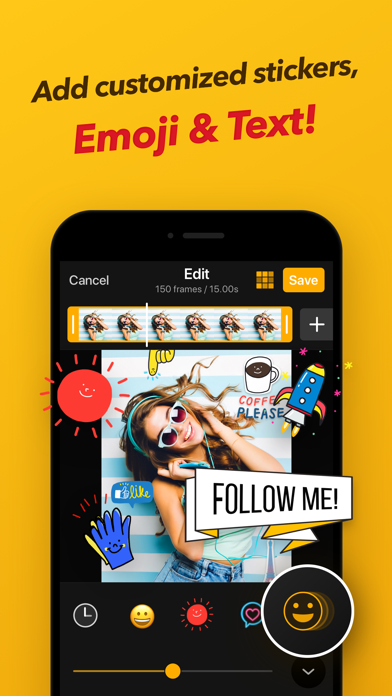
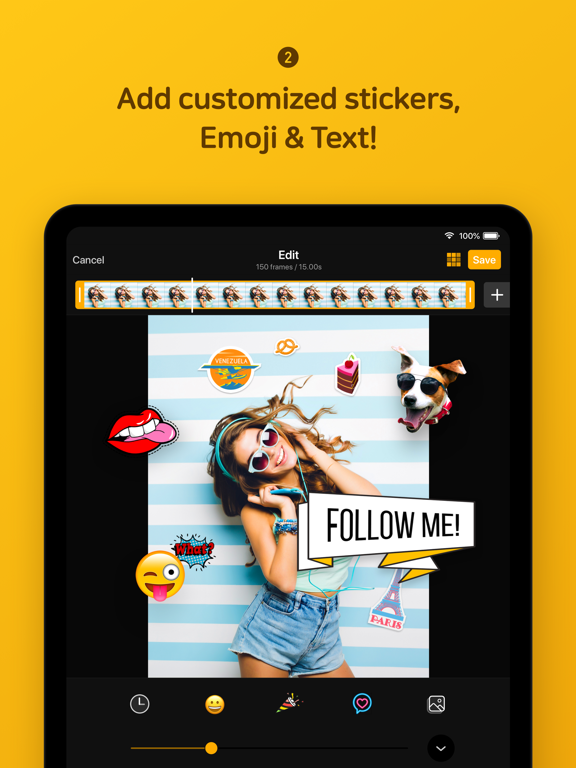
ImgPlay makes creating high-quality GIFs on iPhone incredibly simple. Turn videos, Live Photos, burst shots, still images, and even screen recordings into clean, smooth animations in just seconds. Whether you're making memes or polished short loops, ImgPlay offers the tools you need with no learning curve. Create your perfect animation now with ImgPlay! Convert Any Media into Professional GIFs - Video to GIF Conversion: Use precise trimming to transform any video into a perfect looping GIF - Convert Live Photos and burst shots into seamless animations - Combine multiple images to create stop-motion, slideshows, animated collages, or loops - Easily import files from iCloud, Dropbox, Wi-Fi, or iTunes - Turn screen recordings into editable GIFs instantly - 4 Camera Modes: Capture new content with hands-free, normal, stop-motion, and boomerang modes Smart Editing & AI Power: Next-Level GIF Quality Elevate your GIF creations using our cutting-edge AI technology and professional editing tools. - Remove backgrounds instantly with AI background removal - Use canvas ratios tailored for Instagram, TikTok, Stories, Reels, X, and more (1:1, 4:5, 9:16, 16:9) - Adjust playback speed from 0.02 to 1 second per frame - Choose loop settings: infinite, 1, 3, or 5 loops - Switch playback direction: forward, reverse, or back-and-forth - Set video FPS to 5, 10, 15, 20, 24, 30 or 60 for the motion style you want - Crop, rotate, flip, zoom, and refine any part of your animation Frame-Level Editing for Total Control - View and edit every frame at once - Reorder frames with simple drag-and-drop - Remove unwanted frames instantly - Combine GIFs, photos, videos, and Live Photos within a single project - Save any frame as a standalone image Text, Stickers, & Meme Creator: Personalize Your Content - Import your own fonts or use over 20 built-in animated text effects - Advanced Meme Maker: Features a meme canvas with multiple text areas and an auto-text canvas that adapts to your caption - Custom Stickers: Use your own images, PNGs, GIFs, and clipboard items as stickers, applying 23 unique motion effects - Visual Enhancements: Access 45 filters and full visual adjustments, including Brightness, Exposure, Contrast, Saturation, Temperature, Sharpness and Clarity, Hue, Shadows, and Midtones - Privacy Tools: Apply Mosaic and Blur functions to conceal sensitive or unwanted areas Creative Overlays & Styling Tools - Add your own Logo for personalized branding - Colored or Patterned Backgrounds - Various Borders to frame your GIF perfectly - Sketch with Pen Drawing High-Quality Export & Social Optimization Share your creations instantly with optimized file sizes and the highest possible quality. - Clean and sharp high-quality GIF output using dithering technology - File Size Optimization: Reduce file size with built-in tools for faster loading and sharing - Multiple Export Formats: Export as GIF, MP4, APNG, or WebP - Customized resolutions or pixel sizes available - One-Tap Sharing: Instantly share to Instagram, TikTok, Reels, X, Facebook, WhatsApp and more major platforms - Quickly share GIFs via iMessage Unlock All GIF Editing Features with ImgPlay Premium - Watermark Removal and Advanced Saving Options - Weekly, monthly, or yearly subscription options are available - Charged to your iTunes account upon purchase - Auto-renews unless turned off 24 hours before renewal - Manage or cancel anytime in Account Settings - No partial refunds; access continues until the billing period ends Your feedback helps us keep improving ImgPlay. Share your thoughts anytime. Email: imgplay.ios@imgbase.me Terms of Use: https://www.imgbase.me/imgplay/terms/termsofuse.html
Latest release
What’s New
- Crop Grid: Align and crop your photos and videos more precisely - Fixed an issue that could occur when editing long videos - Fixed an issue where white margins could appear when cropping - Faster export performance and stability improvements For further questions, email us at imgplay.ios@imgbase.me. We always listen to our users’ feedback.
Audience growth
Ratings growth
Baseline captured. Growth appears after the crawler observes a changed rating count.
Momentum comes from crawler snapshots for the tracked storefront. “Viral growth signal” means unusually fast recent rating gains; it is an indicator, not download data.
Price tracking
Price intelligence
First snapshot captured. The trend line starts after the next crawler price observation.
- First observed Aug 15, 2026 · 10:15 PM Free
Screenshots