About this app
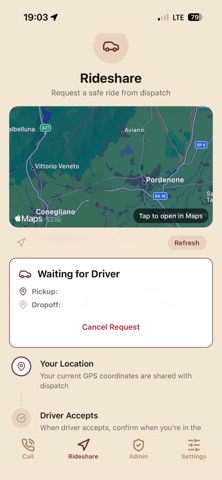
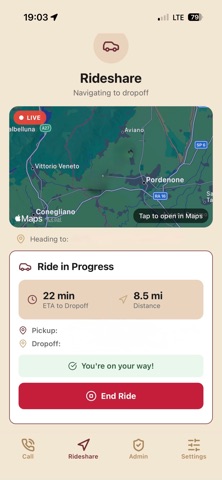
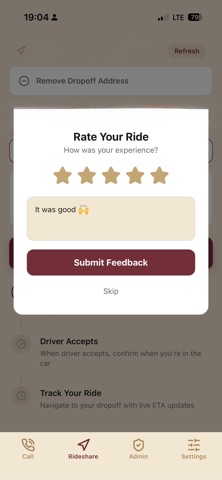
1. Call Tab One-tap emergency call button to reach AADD dispatch Automatically captures the user's GPS location and logs it for safety Animated pulsing call button with haptic feedback Call history is logged to the backend 2. Rideshare Tab Users can request a ride by setting pickup (auto-detected via GPS) and dropoff locations Location suggestions with search/autocomplete Live map view with route polyline following roadways Real-time ride status tracking: pending → accepted → in_progress → completed "I'm in the car" confirmation from the passenger ETA and distance estimates for both pickup and dropoff Driver info display (name, vehicle, plate number) Post-ride feedback/rating system Favorite locations saved via AsyncStorage 3. Admin/Driver Tab Passcode-protected access with two levels: driver and full admin Rideshare management: Accept/complete ride requests, see requester location, ETA, route navigation line on map Map tab: View call logs with user locations on a map Users tab: Manage users — delete, promote to admin, toggle driver status, change passwords Phone tab: View/manage phone settings Settings tab: Configure app-wide settings (call number, rideshare number, admin/council passcodes) 4. Settings Tab View/edit profile (display name, phone number) Change password Enable/disable biometric authentication (Face ID / Fingerprint) Logout
Latest release
What’s New
-Updated more performance stability -Fixed Sign-In and Sign-Up issues -New Admin/Council options to help maintain safety and fairness across all users -New Notification system
Audience growth
Ratings growth
Baseline captured. Growth appears after the crawler observes a changed rating count.
Momentum comes from crawler snapshots for the tracked storefront. “Viral growth signal” means unusually fast recent rating gains; it is an indicator, not download data.
Price tracking
Price intelligence
First snapshot captured. The trend line starts after the next crawler price observation.
- First observed Aug 19, 2026 · 5:30 AM Free
Screenshots