About this app
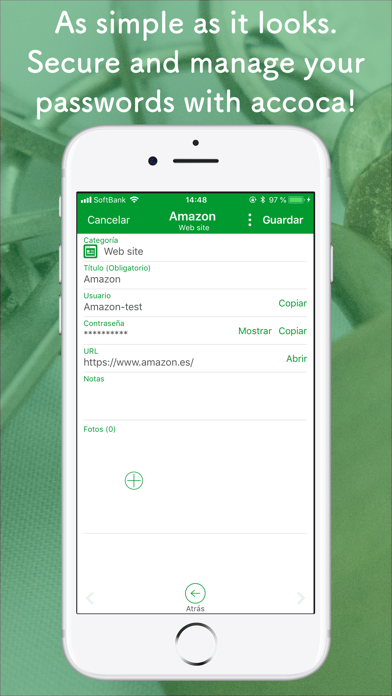
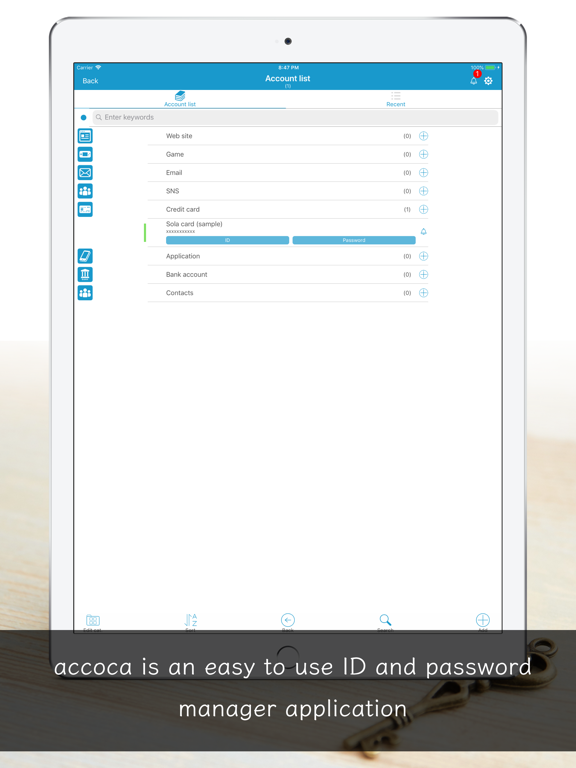
accoca is a personal information manager that helps make everyday life more comfortable. From passwords to insurance and subscription contracts, appliance model numbers and settings, car parts, and more—you can easily record all kinds of life information and check it anytime. Stronger login management • Passkeys — When creating a passkey in Safari and other apps, you can choose accoca as the save location. Sign in with Face ID or Touch ID for phishing-resistant login. Passkeys require Google Drive; they are not stored on this device only. They are saved encrypted to Google Drive and sync across your other iPhones and iPads. • CSV Account Import — Bring in CSV files exported from other password managers and migrate your account information in one step. Plus * Manage information for parents, children, pets, and the whole family * Keep records of cancelled contracts for reference * One purchase, use forever and many other features that support real life. As a tool for daily living, accoca values safety and simplicity above all. Our commitment to safety accoca does not rely on ads or cloud services that raise concerns about personal data tracking or large-scale leaks. Each file is encrypted with AES256 using a random password and stored on your device. Optionally, you can back up to Google Drive to prepare for data loss or device changes. Backups are also encrypted and stored in an app-only area on Google Drive that cannot be accessed from outside accoca. Our commitment to simplicity We keep the design simple, reduce distractions, and aim for an intuitive experience. Settings has been refreshed so you can see screen lock, backup, passkeys, and more at a glance. At the same time, accoca is deep and customizable—we hope you enjoy finding a way to use it that fits you. Key features Record & organize • Organize with groups • Customize with passwords, numbers, due dates, notes, photos, and more • Tag items by status such as favorites or active contracts (color tags) • Sort by title, last updated, due date, and more Login & security • Passkeys — Save website passkeys in accoca (Google Drive connection required) • Password AutoFill — Use IDs and passwords saved in accoca in Safari and other apps • TOTP (one-time passwords) supported • Copy IDs and account details with a tap • Lock with Touch ID, Face ID, or passcode Sharing & backup • View-only sharing with sub-devices and family devices (sub-device mode) • Backup for peace of mind (Google Drive) • CSV Account Import — Import account information in bulk from CSV files exported from other apps • In-app notifications for due dates and more Other • Theme color and background color settings • And many more touches that grow more useful the more you use the app We would love to hear your requests and feedback. accoca has become an essential part of daily life for many families, including the developer’s own, and we continue development responsibly for the long term. Less hassle managing information—more time for a comfortable, enjoyable life! Full version A one-time purchase unlocks the following with no time limit: - Unlimited account entries (free version: up to 10) - Password generator - OCR to convert text in images to editable text Device changes & data migration accoca supports secure backup to Google Drive. Backed-up data can be restored on another device. We recommend Google Drive backup when changing devices or in case of loss. When switching from another password manager to accoca, you can also import a CSV file from Settings → CSV Account Import. Restoring your purchase You can restore your purchase on a new device. While signed in with the same Apple ID used for the purchase: 1. Open the app 2. Tap Settings → Detailed information 3. Tap Restore payment ------------------------------------------- We welcome your feedback and requests. Contact us anytime at support+accoca@sola-air.com #When contacting us, please allow messages from the address above.
Latest release
What’s New
It's easier to set dates. Display issues on newer iOS versions are also cleaned up. Dates, due dates, and alarms - Tap the month at the top of the calendar to pick a year and month from a list. You can jump to dates from years ago without tapping through month by month - Swipe left or right on the calendar to move to the previous or next month - In Japanese, holidays use the same red tint as Sundays Readability - The item menu is on the bottom bar, and titles are easier to read Fixes - Reduced flicker, hard-to-read text colors, and overflowing bottom buttons on newer iOS versions - Fixed iPad number keyboards that floated and were hard to type on - Fixed the nearby-search radius sheet appearing behind other screens
Audience growth
Ratings growth
Baseline captured. Growth appears after the crawler observes a changed rating count.
Momentum comes from crawler snapshots for the tracked storefront. “Viral growth signal” means unusually fast recent rating gains; it is an indicator, not download data.
Price tracking
Price intelligence
First snapshot captured. The trend line starts after the next crawler price observation.
- First observed Sep 2, 2026 · 10:18 AM Free
Screenshots