About this app
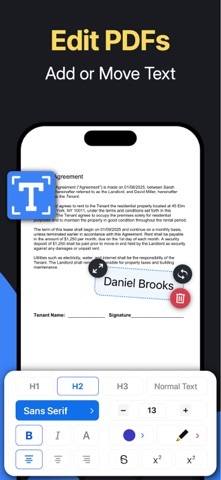
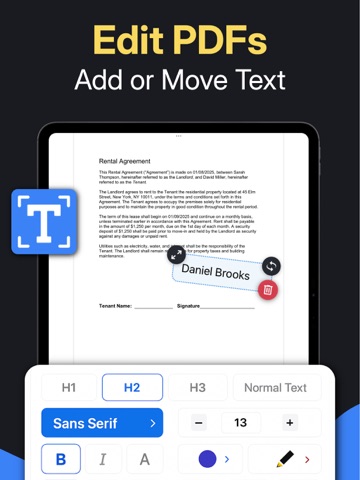
Add Text to PDF – Fill Forms makes working with documents effortless. Whether you want to fill out forms, type notes on scanned papers, or mark up PDFs for work or study, this tool lets you do it all with clarity and precision. Whenever you need to add text to an existing PDF, simply open your file, tap where you want to write, and start typing. It feels natural and fast, with results that look professional. You can even import photos from your gallery and place text or captions directly on top of them, making it useful for labeling receipts, adding titles to images, or filling out forms from scanned documents. Key Features • Add text and write directly on PDF documents • Fill out forms or annotate existing files instantly • Import photos from your gallery and add text or captions • Insert your digital signature anywhere in the document • All your files are automatically saved for quick access • Clean, intuitive design focused on fast editing Why Add Text to PDF – Fill Forms 1. Designed for quick and accurate text editing on PDFs 2. Works seamlessly with both documents and imported images 3. Keeps every file automatically organized and saved 4. Simple, modern interface without distractions 5. Fully offline, secure, and privacy-friendly Adding your signature is simple too. Just draw or import it once and place it wherever needed. Every document you edit or create is automatically saved, so you never lose your work. Your files are organized in one place for easy viewing and sharing whenever you need them. With Add Text to PDF – Fill Forms, editing becomes effortless. Write on PDFs, fill forms, and add notes wherever you need them. Everything you create stays saved automatically, ready to view or share anytime. It’s the simplest way to add text to documents and keep your workflow smooth and organized. Privacy Policy: https://www.onerack.nl/apps/pdf-text/privacy-policy Terms of Service: https://www.onerack.nl/apps/pdf-text/terms-and-conditions
Latest release
What’s New
- Add text to PDFs quickly and easily - Improved editing tools for filling out documents - Faster performance and a smoother PDF experience
Audience growth
Ratings growth
Baseline captured. Growth appears after the crawler observes a changed rating count.
Momentum comes from crawler snapshots for the tracked storefront. “Viral growth signal” means unusually fast recent rating gains; it is an indicator, not download data.
Price tracking
Price intelligence
- First observed Aug 19, 2026 · 6:03 AM Free
Screenshots