About this app
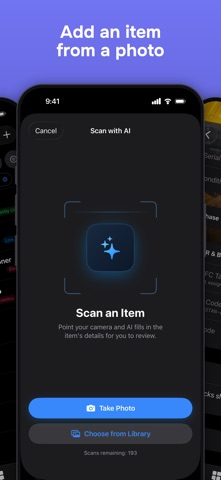
You have stuff. You can't always find it, remember who borrowed it, or prove you own it when it matters. additem.to fixes that. Scan with AI to add things in seconds. Point your camera at an item and additem.to suggests its name, brand, model, category and more. It even fills in your own custom fields and picks a matching template. Already tracking something but missing its details? Scan it again and AI fills in the blanks (serial, model, barcode) and flags anything that looks wrong, so you can tidy up an item in seconds. Photograph a receipt and the shop, price and purchase date are read off it for you: a till receipt or a screenshot of an order confirmation both work. You review every change and nothing is saved until you say so. Your photo is only sent when you choose to scan, and it's never used to train AI models. Everyone gets a few free scans to try it. Add items with photos, serial numbers, purchase dates, and custom fields. Note where things live. Search when you need to find something. Export a PDF or CSV when your insurer asks for proof. Item Templates speed things up. Got cameras, tools, or consumables you add regularly? Create a template and the right fields appear pre-filled every time and the rest stay hidden. NFC tags make it faster still. Tap a drawer or door to see what's inside. Any tag works, including locked and read-only ones. Turn on Tap to Open and tapping a tag opens the item even when the app is closed. Prefer labels? QR codes you generate open items straight from the Camera app, and barcodes work too: scan a product's own code, reuse labels from your old system, or print QR and barcode label sheets at home. All optional. Lend something out? Log it. additem.to tracks who has what, so you're never that person who can't remember if they gave their drill away or just lost it. Insurance is the killer use case. Photos, serial numbers, purchase dates: export a CSV or PDF the moment you need to make a claim. Got a spreadsheet? Bulk import it. The app maps your columns and creates items in seconds. Stocktake by walking a room and ticking off what's there. Get reports by location, category, or tag, and export them as PDF or CSV. Track stock as it moves. Record a sale, stock used, lost or restocked, with a date and what it was worth, and Stock History adds it up by date. A whole month of sales can come in from a spreadsheet. The Organise tab is the home for tags, custom fields, templates, kits, and pick lists. Everything in one place, nothing buried in Settings. PRO: Sync across devices, access from the web, share with your household or team. Billed monthly or annually. Subscriptions renew automatically unless canceled 24 hours before renewal. Manage in Account Settings. No ads. No tracking. EULA: https://www.apple.com/legal/internet-services/itunes/dev/stdeula/ Terms of Service: https://additem.to/terms Privacy Policy: https://additem.to/privacy
Latest release
What’s New
Quantity items now keep a record of stock as it moves. Tap Adjust Stock on an item to record a sale, stock used, lost or damaged, or a restock, with the date, a reason and what it was worth. The item shows a total for each, and its history reads "Sold 2". Reports has a new Stock History: every movement by date, with totals you can tap to filter and a CSV export. In Organise, Inventory Settings chooses where values come from: a sale price, and a cost price for everything else. It's also where you can now change an inventory's currency on iPhone. A CSV import can record stock movements: add a Stock Movement column and an amount, and each row is recorded as Adjust Stock records it. Stocktakes and pick lists record their stock changes too, and your history from before this update is already counted in.
Audience growth
Ratings growth
Baseline captured. Growth appears after the crawler observes a changed rating count.
Momentum comes from crawler snapshots for the tracked storefront. “Viral growth signal” means unusually fast recent rating gains; it is an indicator, not download data.
Price tracking
Price intelligence
First snapshot captured. The trend line starts after the next crawler price observation.
- First observed Oct 6, 2026 · 2:55 AM Free
Screenshots