About this app
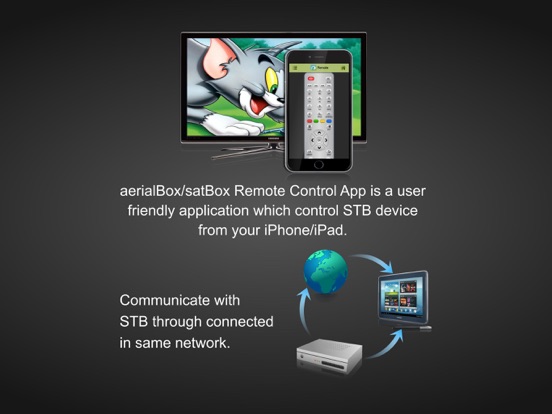
The aerialBox/satBox Remote Control App which controls aerialBox T2200 & satBox S8200 Set-Top Boxes within same WiFi network. App will identify your aerialBox / satBox STB devices automatically. User can identify the device by its IP Address or user-friendly name. [Features] - Auto device discovery of your aerialBox/satBox device with zero configuration. - Allowed to Manually connect aerialBox/satBox device through its IP entry. - Comprehensive full-featured remote display on your second screen devices. - Live channel Streaming to your iPhone/iPad device to view the TV channels. - You can change channels through channels list. - Current and Next Event details of all channels are viewed. - One week EPG of the channels in your TV. [Configure your aerialBox/satBox device] - Press "Menu" and select "Installation". - Select "Network Setup" - Choose Wired or Wireless settings and connect network which is same network connected in your device. - To watch live streaming on your device, please ensure the below settings. Menu - Settings - Application - Live Streaming - ON [Streaming Player] Tested streaming players are (OPlayerHD Lite and AcePlayer) [Recommended Streaming Player] - Oplayer - OPlayerlite - AcePlayer - Buzz Player - Good Player [Caution] - This application is compatible only with aerialBox T2200 and satBox S8200 product models. - aerialBox/satBox & it's Remote Control App installed second screen device should be connected on the same WiFi home network. - Auto device detection will work only on those devices supports multicasting. - Currently tuned channel on the STB receiver will be streamed to second screen devices & user not able to stream other then the watching channel in STB device. - Recommended to use up-to-date firmware in your aerialBox/satBox for getting better experience. Uses Libupnpx.a open library device detection and we have include the filtering the device to display aerialBox/satBox device alone.
Latest release
What’s New
This app has been updated by Apple to prepare for watchOS 27 compatibility. No new features are included. - Remove Ads, Now user use the app without the interruption.
Audience growth
Ratings growth
Baseline captured. Growth appears after the crawler observes a changed rating count.
Momentum comes from crawler snapshots for the tracked storefront. “Viral growth signal” means unusually fast recent rating gains; it is an indicator, not download data.
Price tracking
Price intelligence
First snapshot captured. The trend line starts after the next crawler price observation.
- First observed Aug 31, 2026 · 3:18 PM Free
Screenshots