About this app
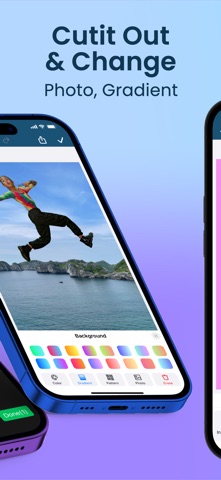
Transform Your Photos with AI Background Eraser: CleanCut CleanCut: AI Background Eraser is the ultimate tool for background removal and photo editing. Powered by advanced AI technology, our app ensures precise and fast removal of backgrounds, making your images look professional and clean. Perfect for social media, e-commerce, personal use, and more, AI Background Eraser Pro offers a suite of powerful tools to enhance, retouch, and improve your photos. Download now to elevate your photo editing experience! ◆ Key Features ◆ 1. Automatic Background Removal AI-Powered: Effortlessly erase backgrounds with a single tap. Smart Detection: Our AI technology accurately detects and removes backgrounds, providing precise and smooth editing. 2. Versatile Photo Editor Comprehensive Tools: Modify, replace, or erase backgrounds with ease. Flexible Options: Add new backgrounds, keep them transparent, or use pixel-perfect cutouts to suit your needs. Crop & Resize: Easily crop and resize your photos for the perfect composition. 3. High-Quality Cutouts Detailed Precision: Achieve accurate cutouts with our high-quality AI algorithms. Professional Results: Isolate subjects for stunning, professional-grade photos. Lasso Tool: Precisely select objects using the lasso tool for perfect isolation. Magic Selection: Utilize the magic tool for quick and effortless background removal. 4. Create Transparent Backgrounds Ideal for Various Uses: Perfect for profiles, presentations, e-commerce product images, and more. Enhance Visual Appeal: Make your subjects stand out with clean and transparent backgrounds. 5. User-Friendly Interface Intuitive Design: Easy navigation ensures a smooth editing workflow. Accessible to All: Whether you're a professional photographer or a casual user, you'll find AI Background Eraser Pro simple to use. 6. Batch Processing Save Time: Edit multiple photos simultaneously with our batch processing feature. Efficiency: Ideal for high-volume tasks, enhancing productivity. 7. Enhance Photos with Filters and Effects Creative Tools: Apply a variety of filters, blur, and sharpen effects to make your images pop. Vibrant Colors: Add stunning highlight and contrast adjustments to elevate your photos. 8. Adjust and Customize Advanced Editing: Fine-tune brightness, contrast, saturation, and more. Precision Control: Customize your photos to achieve the perfect look. 9. In-App Tutorials and Tips Learn with Ease: Our tutorials and tips guide you through the editing process. Get Pro Results: Ensure you achieve the best results every time with our precision tools. 10. Save and Share High-Resolution Saves: Save your edited photos in high quality, including JPG, PNG, and GIF formats. Direct Sharing: Share your photos directly to Instagram, Facebook, Twitter, and more. 11. Object and Pimple Removal Unwanted Objects: Remove unwanted objects seamlessly for a flawless image. Pimple Retouch: Smooth out blemishes and imperfections with our retouch tools. 12. Manage and Organize Organize Your Photos: Keep your edited photos organized with our management tools. Store Efficiently: Save and store your images securely within the app. ∞ Why Choose AI Background Eraser: CleanCut? ∞ ‣ Cutting-edge AI Technology: Experience seamless background removal and photo editing like never before. ‣ Comprehensive Toolset: Beyond background removal, enjoy a full suite of editing tools for resizing, cropping, retouching, and more. ‣ User-Centric Design: Designed for both professionals and casual users to deliver exceptional results effortlessly. ‣ Versatile Editing: Handle various photo editing tasks with ease, making the app suitable for any project. ► Download AI Background Eraser: CleanCut Now! ⁕ Don’t wait. Download AI Background Eraser: CleanCut today and transform your photo editing experience. With our advanced AI tools, create stunning photos that stand out. Get the best photo editor and background remover on the market!
Latest release
What’s New
- Improved performance and stability. - Fixed some minor bugs for a smoother experience.
Audience growth
Ratings growth
Baseline captured. Growth appears after the crawler observes a changed rating count.
Momentum comes from crawler snapshots for the tracked storefront. “Viral growth signal” means unusually fast recent rating gains; it is an indicator, not download data.
Price tracking
Price intelligence
First snapshot captured. The trend line starts after the next crawler price observation.
- First observed Aug 19, 2026 · 7:44 PM Free
Screenshots