About this app
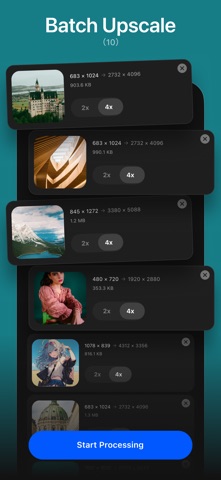
Upscale images, enhance photos, restore portraits, and refine anime artwork with AI Enlarger, an all-in-one AI photo enhancer for iOS. Enlarge images by 2x, 4x, or 8x, improve low-resolution photos, sharpen blurry details, retouch faces, and fine-tune color and lighting in one streamlined app. AI IMAGE UPSCALER ------------------------------ Enlarge and enhance photos by 2x, 4x, or 8x Improve both photos and anime artwork Choose between online AI models and supported offline processing modes Create high-resolution results for sharing, wallpapers, prints, design, and creative projects BATCH IMAGE UPSCALING ------------------------------ Upscale multiple images by 2x or 4x Apply AI quality enhancement automatically Process photo collections, manga pages, product images, and design assets more efficiently FACE RETOUCH TOOLS ------------------------------ Refine portrait photos with adjustable, natural-looking tools: Eye enhancement: sharpness and brightness Eyebrow enhancement: sharpness, density, and contrast Face adjustment: slimming and size controls Skin enhancement: smoothing, tone balance, highlights, shadows, and glow Eye size adjustment Lip color adjustment with built-in presets AI PHOTO ENHANCEMENT STUDIO ------------------------------ 48 preset filters for film, portrait, nature, vintage, anime, cinematic, and other looks 14 LUT filters for creative color grading Lighting controls for exposure, contrast, highlights, shadows, whites, and blacks Color controls for auto white balance, temperature, tint, saturation, vibrance, and hue Detail controls for sharpness, clarity, fade, vignette, noise reduction, and dehaze ONLINE AND OFFLINE PROCESSING ------------------------------ Choose the processing option that fits your workflow. Supported upscaling modes can run offline on your iOS device, while additional AI models may require an internet connection. Offline processing speed depends on image resolution, selected scale and model, available memory, and iOS device hardware. HOW TO USE AI ENLARGER ------------------------------ Choose a photo to upscale, enhance, or retouch Select Enlarge, Batch Upscale, Face Retouch, or Enhance Choose 2x, 4x, or 8x where supported Adjust the result and preview your changes Save the finished image in high resolution Price Plan: --------------------------- Monthly Plan: $6.99 — Unlimited access Yearly Plan: $19.99 — Best value Lifetime Plan: $29.99 — One-time purchase, no renewal Visit our official website for more information and access to our Privacy Policy and User Terms. If you have any questions, please get in touch with support@imglarger.com Privacy Policy: https://imglarger.com/blog/privacy-policy/ User Terms: https://imglarger.com/terms/
Latest release
What’s New
Redesigned the AI enhancement engine and improved model performance. Optimized offline 2x, 4x, and 8x zoom modes. Added face retouching tools for eyes, eyebrows, skin, face shape, and lips. Improved memory management and image processing stability.
Audience growth
Ratings growth
Momentum comes from crawler snapshots for the tracked storefront. “Viral growth signal” means unusually fast recent rating gains; it is an indicator, not download data.
Price tracking
Price intelligence
- First observed Aug 8, 2026 · 11:23 AM Free
Screenshots