About this app
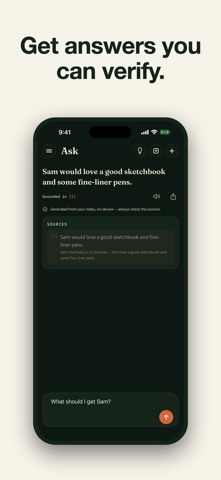
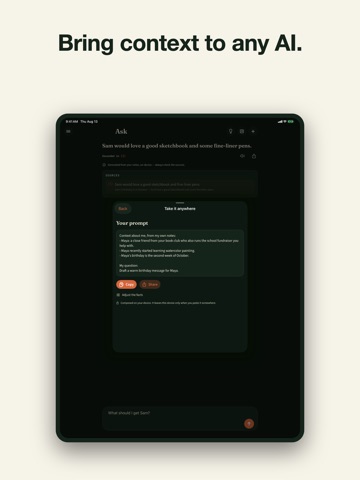
Turn scattered thoughts and spoken ideas into a private, searchable memory. Capture what matters, ask questions of your own notes, and take only the context you choose into another AI. CAPTURE BEFORE IT DISAPPEARS Write a note, share text into the app, or record a voice memo. A recording you start can continue while the app is in the background, so you can finish the thought without keeping the screen open. Add a reminder in everyday language when something needs to come back at the right time. VOICE MEMOS BECOME SEARCHABLE Record and play voice memos, then turn speech into text with on-device transcription. The resulting note joins the same private search as everything you type. Recording never begins by itself. ASK YOUR NOTES, CHECK THE SOURCE Ask a question in plain language. Answers are grounded in your saved notes and show the supporting source, so you can inspect the original words. When matching evidence is limited, the app clearly signals that limitation. TAKE YOUR CONTEXT ANYWHERE Enter the question you want to ask another AI. Review the relevant facts found in your notes, remove anything you do not want to include, then copy or share a clean context-and-question prompt. Nothing is sent automatically; you choose the context and destination. PRIVATE BY DESIGN AI processing runs on your device. No account or tracking is required. Notes stay local by default. Optional private iCloud sync is off until you enable it, and voice recordings remain local to the device. After any required model download, core AI features can work offline. SUBSCRIPTION AND ARCHIVE MODE Second Brain offers monthly and yearly auto-renewable subscriptions. Eligible new subscribers may receive a 3-day free trial. Without an active subscription, creating new notes, recordings, imports, or AI output is blocked. Your previously saved notes remain readable and searchable, recordings remain playable, and existing items can still be deleted. PORTABLE EXPORTS Export note text and Ask history as Markdown or structured JSON. Recording audio files are not included, so these exports are portable records rather than a complete app backup. Existing export remains available in archive mode. REQUIREMENTS Requires iOS or iPadOS 26 or later. Devices with Apple Intelligence use Apple's built-in on-device model. Other supported devices may need a one-time model download. A Studio AM app. Made in San Francisco. Terms of Use (EULA): https://www.apple.com/legal/internet-services/itunes/dev/stdeula/ Privacy Policy: https://studioam.art/apps/second-brain/privacy
Latest release
What’s New
Improves recall across large note collections, localized app copy, and release reliability.
Audience growth
Ratings growth
Baseline captured. Growth appears after the crawler observes a changed rating count.
Momentum comes from crawler snapshots for the tracked storefront. “Viral growth signal” means unusually fast recent rating gains; it is an indicator, not download data.
Price tracking
Price intelligence
First snapshot captured. The trend line starts after the next crawler price observation.
- First observed Aug 25, 2026 · 9:55 PM Free
Screenshots