About this app
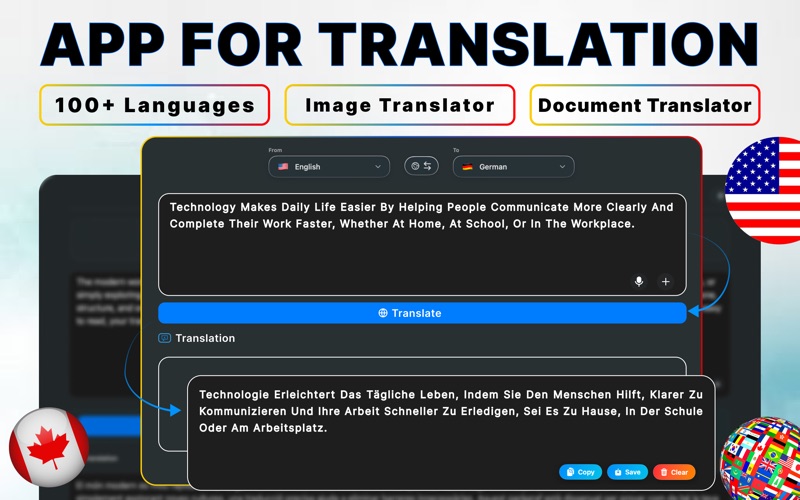
Translate text, voice, photos, PDFs, and documents instantly with AI Translator – Live Translate. A complete, beautifully crafted translation workspace made exclusively for macOS. Whether you’re translating homework, business files, screenshots, or long documents, this app delivers fast, accurate results with a clean and modern interface that feels right at home on your Mac. ● Powerful AI Translation Tools • Text Translation Type or paste any text and translate instantly across 100+ languages. Perfect for messages, articles, notes, and long-form content. • Voice Input & Speech Translation Speak naturally and convert your voice to text using Apple’s speech engine. Ideal for dictation, language practice, or quick idea capture. • Import Photos & Images (OCR) Import screenshots, scanned pages, or saved photos directly from your Mac. The app automatically extracts text using Apple’s Vision-powered OCR and translates it accurately. • PDF & Document Translation Translate text from PDF, DOCX, TXT, RTF, and other popular formats. A powerful tool for reading foreign documents, research papers, or study materials. • Advanced OCR (Text Recognition) High-quality text extraction from images and scanned files with precise line detection and automatic cleanup. • Automatic Language Detection When typing with “From: Auto,” the app intelligently identifies the language and switches instantly. • Translation History Every translation is saved automatically. Revisit, copy, or clear entries anytime for effortless reuse. ● Why Choose AI Translator – Live Translate? • A complete solution for text, voice, photo, and document translation in one unified workspace. • Fast, accurate AI results optimized for clarity and natural readability. • Privacy-first design — your translation history stays on your device. • Built with native macOS technologies for smooth performance and stability. • A clean, distraction-free interface designed to keep you focused on your content. • Reliable OCR powered by Apple’s Vision framework for precise text extraction. • Drag-and-drop support for images, screenshots, and documents. Notes Subscriptions renew automatically unless auto-renew is turned off at least 24 hours before the end of the current billing cycle. Your iTunes account will be charged upon confirmation of purchase and again within 24 hours before renewal. Renewal will occur at the same subscription rate. Manage your subscription any time in your App Store account Settings. Use of this app is subject to our: Terms of Use: https://sites.google.com/view/smarttranslatepro-terms-of-use Privacy Policy: https://sites.google.com/view/smart-translate-pro-privacy You also agree to Apple’s End User License Agreement (EULA).
Latest release
What’s New
- Fixed minor bugs to improve stability
Audience growth
Ratings growth
Baseline captured. Growth appears after the crawler observes a changed rating count.
Momentum comes from crawler snapshots for the tracked storefront. “Viral growth signal” means unusually fast recent rating gains; it is an indicator, not download data.
Price tracking
Price intelligence
First snapshot captured. The trend line starts after the next crawler price observation.
- First observed Aug 8, 2026 · 5:33 PM Free
Screenshots