About this app
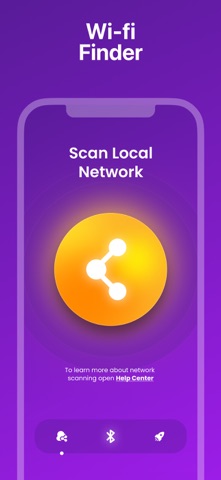
Introducing the app designed to help you effortlessly locate your lost devices. With smart algorithms, the app consistently tracks your wireless devices to ensure you never lose them again. Our app is simple to use. Open the app, and it will begin searching for nearby devices. Move around, and the app tracks the distance score, helping you locate your lost device. As you get closer, the app plays a sound to indicate that the device is nearby. You may enable tracking for devices in the background by turning on the switch next to the device on the list. You will receive a notification when your tracked device is disconnected/lost. The application will ping the tracked devices from time to time and remember the last location and time the device was seen. Find your lost Bluetooth device (with BLE signal advertising). The app is easy to use! **Device Finder** helps you quickly locate your lost Bluetooth devices. Whether it’s wireless headphones, a smartwatch, or any other Bluetooth-enabled gadget, finding them takes just a few moments. Our smart algorithms continuously track your devices, so you never have to worry about losing them again. ### **Key Features:** - **Device Radar** – Instantly displays all nearby Bluetooth devices. - **Distance Meter** – Provides a proximity score from 0 to 100 to help you find your device. - **Wide Compatibility** – Supports wireless earbuds, speakers, fitness trackers, and more. - **Live Map** – Pinpoints your lost device’s exact location in real time. - **Alerts** – Get vibration and sound notifications when your device is nearby. - **Favorites** – Pin frequently used devices for quick access. ### **How It Works:** 1. Open the **Device Finder** app. 2. The app will automatically scan for nearby devices. 3. Move around while monitoring the proximity score to locate your lost item. 4. As you get closer, the app will emit a sound to guide you. 5. Success! You’ve found your lost device. You need buy subscription to use feature : bluetooth finder, wi-fi scanner, speed test. Terms: https://docs.google.com/document/d/1hnxAV7CsT8sQdhPoI6BzVjekMx-5aKScD77HRta7aD8/edit?usp=sharing Privacy: https://docs.google.com/document/d/1ZNv5BDX4aDmLhQmrBP_Dvo1nuOgCm5jYqPZiCHRBTzk/edit?usp=sharing
Latest release
What’s New
bug fix
Audience growth
Ratings growth
Baseline captured. Growth appears after the crawler observes a changed rating count.
Momentum comes from crawler snapshots for the tracked storefront. “Viral growth signal” means unusually fast recent rating gains; it is an indicator, not download data.
Price tracking
Price intelligence
First snapshot captured. The trend line starts after the next crawler price observation.
- First observed Aug 15, 2026 · 5:09 PM Free
Screenshots