About this app
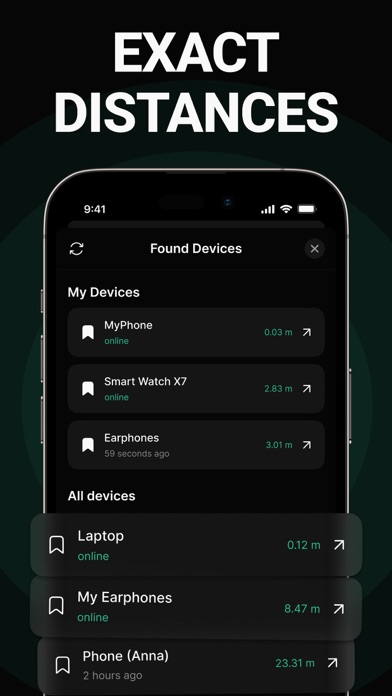
Discover Bluetooth devices in seconds! How to Use: - Open "Find My Bluetooth Device". - If your lost device is powered on and within range, it will appear in the list. Tap on it. - Move around slowly to increase the displayed "Distance Score". - Your device should be nearby. Terms of Use: https://docs.google.com/document/d/1zhu50TBkateW4OC1OAtnRz9UqLsEn10ckxH0yYm46LU/edit Privacy Policy: https://docs.google.com/document/d/1adGCv7bYKaQrfFxV4ApUvMopWuGNAwzV8TJu7KEiv5M/edit Subscription: - Prices may vary by country, and charges may be converted to your local currency based on your location. - Payment will be charged to your iTunes Account upon confirmation of purchase. - Subscriptions will automatically renew unless auto-renewal is turned off at least 24 hours before the end of the current period. - Your account will be charged for renewal within 24 hours prior to the end of the current period, with the cost of renewal specified. - You can manage your subscriptions and turn off auto-renewal by accessing your iTunes Account Settings.
Latest release
What’s New
Minor bug fixes
Audience growth
Ratings growth
Baseline captured. Growth appears after the crawler observes a changed rating count.
Momentum comes from crawler snapshots for the tracked storefront. “Viral growth signal” means unusually fast recent rating gains; it is an indicator, not download data.
Price tracking
Price intelligence
First snapshot captured. The trend line starts after the next crawler price observation.
- First observed Aug 17, 2026 · 6:27 PM Free
Screenshots