About this app
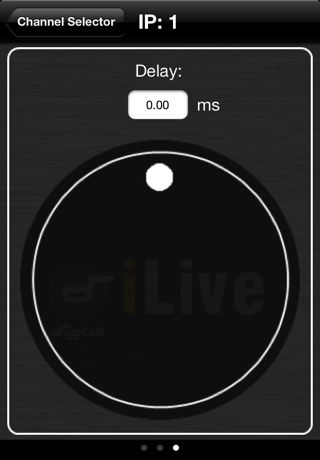
iLive Tweak V1.90. Tweak can run on the iPhone, iPad or iPod Touch. iLive Tweak provides wireless mobile control of basic functions for the Allen & Heath iLive digital live sound mixing system. You can control: - Input faders, mutes, PEQ, delay - Mix faders, mutes, PEQ, GEQ, delay - FX send faders, mutes - FX return faders, mutes, PEQ - DCA faders, mutes - Engineer’s IEM, Wedge monitor faders, mutes Requirements: The iLive system you are connecting to must be running a version of V1.9 firmware to work with this version of Tweak. The iPhone uses its Wi-Fi connection to control the iLive via a wireless router (wireless access point) connected to one of the iLive MixRack or Surface NETWORK ports. Use a good quality wireless router. Refer to the Allen & Heath web site for more information on choosing and setting up the router. Wireless router: Check that your wireless router has an IP address that is compatible with the iLive. Make sure Wi-Fi is turned ON in the iPhone Settings screen. Choose your wireless router from those shown in the Network list. Check for good Wi-Fi signal strength and that there is no interference from other wireless equipment in the area. For security we recommend you password protect your wireless router. The iPhone remembers the network settings. To prevent an iPhone connecting again in the future without the password, for example if you have let a guest engineer access your iLive with their own iPhone, select your network in their iPhone Settings Wi-Fi menu and use the ‘Forget this network’ function. Connecting to the iLive: Start the Tweak application. The screen displays the names of any iLive MixRacks available on the network. Select the MixRack you want to connect to and touch ‘Connect’. Select the User name and enter the password if one has been set. If no password is set then leave it blank and touch ‘Login’.
Latest release
What’s New
Support for V1.9 Firmware Manually entering an IP when using iOS10 will cause the app to exit
Audience growth
Ratings growth
Baseline captured. Growth appears after the crawler observes a changed rating count.
Momentum comes from crawler snapshots for the tracked storefront. “Viral growth signal” means unusually fast recent rating gains; it is an indicator, not download data.
Price tracking
Price intelligence
First snapshot captured. The trend line starts after the next crawler price observation.
- First observed Aug 19, 2026 · 8:38 AM Free
Screenshots