About this app
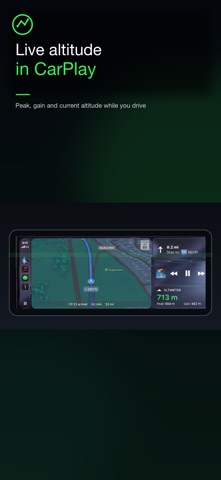
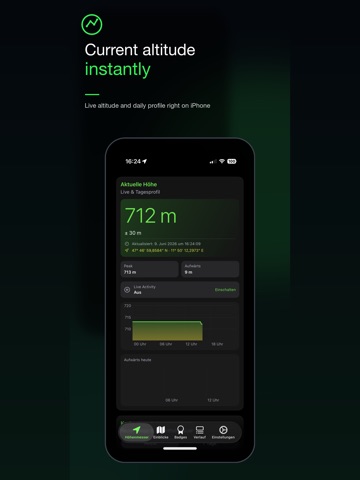
Track your current altitude and elevation gain at a glance, whether you’re hiking, climbing, mountain biking, or driving mountain roads. Altimeter – Elevation Widget & Watch Complication gives you a precise altimeter for your Apple Watch and iPhone. Keep your current altitude visible on your watch face, home screen, and iPhone Live Activity. The native CarPlay dashboard is a separate view designed for the drive, with current altitude, climb or descent per minute, grade, direction, peak, and gain. Try Siri with: “Siri, start Live Activity in Altimeter.” You can also ask: “Siri, what is my current altitude in Altimeter?” This app is designed for outdoor lovers and works as: • A complication for Apple Watch Series 4 or newer (watchOS 10.6 or later) • A home screen widget for your iPhone Features: • Real-time altitude and elevation gain • Complication for Apple Watch faces • Native CarPlay dashboard: current altitude, climb/descent per minute, grade, direction, peak, and gain • Live Activity on iPhone: current altitude, peak, and gain on the Lock Screen and Dynamic Island • Home screen widget for quick altitude checks • Siri, Shortcuts & Spotlight: start Live Activity, ask for current altitude, save altitude readings, and get ready for the new Siri experience this fall • Graphical daily profile and gain timeline • Heatmap + flowline for monthly and yearly analysis • Background significant-location updates for efficient day profiles • HealthKit Flights Climbed support for more robust gain calculation • Switch between meters and feet Terms of Use (EULA): https://www.apple.com/legal/internet-services/itunes/dev/stdeula/
Latest release
What’s New
• Added complete Italian localization for the app, permission texts, and Siri. • Shared Location History now keeps Altimeter data strictly separated by app source. • Improved iCloud backup and efficient background updates.
Audience growth
Ratings growth
Baseline captured. Growth appears after the crawler observes a changed rating count.
Momentum comes from crawler snapshots for the tracked storefront. “Viral growth signal” means unusually fast recent rating gains; it is an indicator, not download data.
Price tracking
Price intelligence
First snapshot captured. The trend line starts after the next crawler price observation.
- First observed Aug 27, 2026 · 12:48 AM Free
Screenshots