About this app
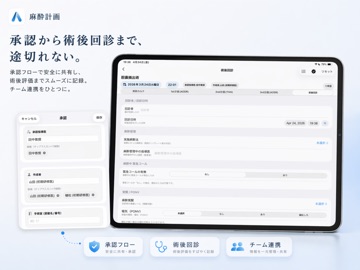
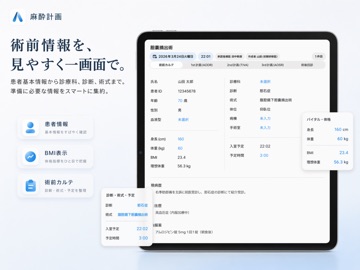
Anesthesia plans that are easier to read — and easier to hand off. This timeline-based app unifies preoperative assessment, the intraoperative anesthesia plan, and postoperative rounds into a single case, supporting how anesthesia teams plan, share, and review. ■ Complex plans, readable at a glance Build plans intuitively on a drug-by-event grid. From oxygen flow changes to the timing of analgesics and antiemetics, arrow timelines convey the "flow" that text-based plans struggle to communicate. Design AODR / AOSR / TIVA plans side by side for each case, with explicit 1st / 2nd / 3rd priorities. ■ Everything a handoff needs, in one case Allergies, preoperative labs, contraindications, airway assessment, automatic Apfel score, postoperative pain and PONV, approval status, and edit history — all stored in one case. During long procedures or intraoperative handoffs, the information you need is seconds away. ■ Resident teaching, built into daily work An approval workflow records the resident's independent plan and the post-review plan separately. Case review then auto-classifies cases into "the resident's plan stood" vs. "the attending changed the plan," so teams can review why plans changed alongside Apfel scores and procedures. An audit log keeps the editing history traceable. ■ Toward standardization and improvement Save hospital-specific plan templates and roll your institution's standard plans out to new members. Postop rounds verify plan-vs-performed agreement and record awakening, nausea, pain NRS, and complications. With PDF / ZIP case sharing, the app supports not just daily case management but handoffs, education, standardization, and the improvement cycle — in one flow. ■ Designed for peace of mind Case data is stored entirely on your device and never sent to external servers Separate passcode locks for app launch, export, template editing, and case review Start instantly, no account required Available in Japanese, English, Simplified Chinese, Spanish, and Korean Note: All calculations and content are reference information only. Final medical decisions are the responsibility of the treating physician and institution.
Latest release
What’s New
- Now available in multiple languages (English, Chinese, Spanish, and Korean) - Refreshed the entire UI
Audience growth
Ratings growth
Baseline captured. Growth appears after the crawler observes a changed rating count.
Momentum comes from crawler snapshots for the tracked storefront. “Viral growth signal” means unusually fast recent rating gains; it is an indicator, not download data.
Price tracking
Price intelligence
First snapshot captured. The trend line starts after the next crawler price observation.
- First observed Aug 26, 2026 · 5:44 PM Free
Screenshots