About this app
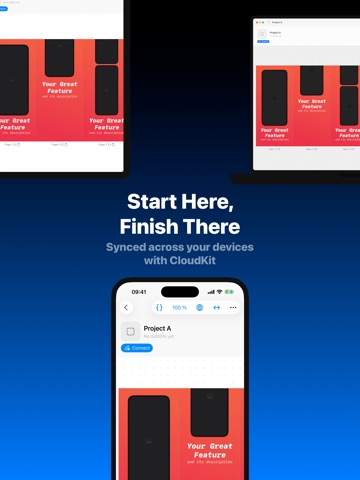
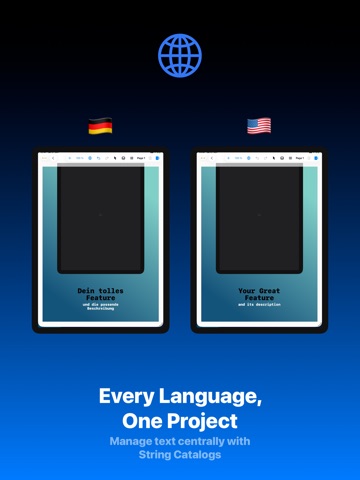
Design your complete App Store screenshot set in one app - natively on iPhone, iPad, and Mac, not in a browser tab. Then push the same set out as a video to every marketing channel, without rebuilding a thing. App Screenshot is a visual editor for your App Store presence. Captures, text, mockups, backgrounds, shapes, and effects all live in one project. No jumping between three design tools, no rebuilding everything for each device size. Design your screenshots: - Complete sets in one app, text, images, and layouts stay editable at any point - Drop screenshots into Apple device mockups, then rotate, scale, and arrange them freely - Keep one consistent look across every screen with Themes and Presets - Reach for a modern style with Liquid Glass, Bento layouts, and the Pattern Creator - Line everything up precisely with grids and snapping Turn that set into a video: - Export the same design as a video for social media, product pages, and presentations - Reuse the screens you already made instead of designing again for each channel - One consistent look across screenshots and videos Localization that keeps up: - Manage text centrally through String Catalogs and link it to your screens - Switch between languages instantly to catch line breaks, layout shifts, and translations that run too long - Assign market-specific images and media - Export every language you've set up in one pass One project, all your devices: - Synced across iPhone, iPad, and Mac with CloudKit, start on your phone, finish on your Mac - No files to shuffle back and forth From draft to the Store: - Export finished sets in the right App Store sizes - Send them straight to App Store Connect and match them to the correct languages and devices (optional, manual upload still works) Plus unlimited projects and screens, project folders, a central media library, screen versions for A/B variants, groups, and more. App Screenshot is built for developers who want to own their store presence and not start from scratch every release. Download the app and design your screenshots and videos in one place.
Audience growth
Ratings growth
Baseline captured. Growth appears after the crawler observes a changed rating count.
Momentum comes from crawler snapshots for the tracked storefront. “Viral growth signal” means unusually fast recent rating gains; it is an indicator, not download data.
Price tracking
Price intelligence
First snapshot captured. The trend line starts after the next crawler price observation.
- First observed Aug 17, 2026 · 1:39 PM Free
Screenshots