About this app
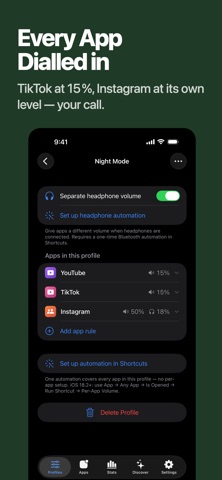
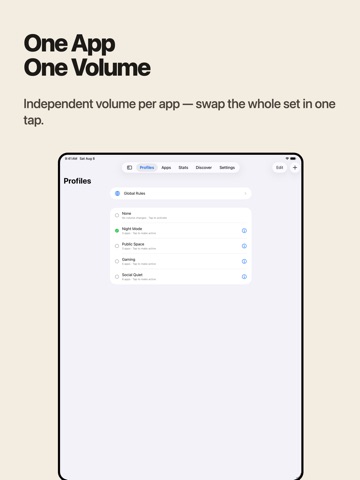
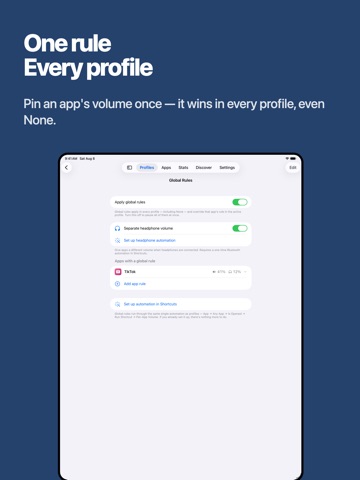
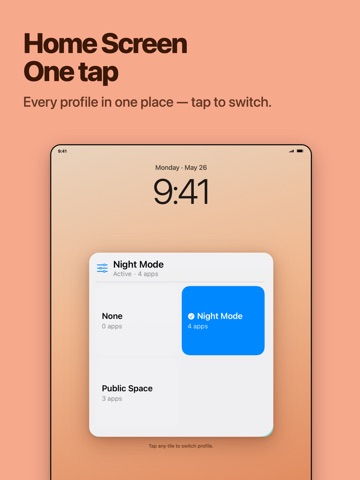
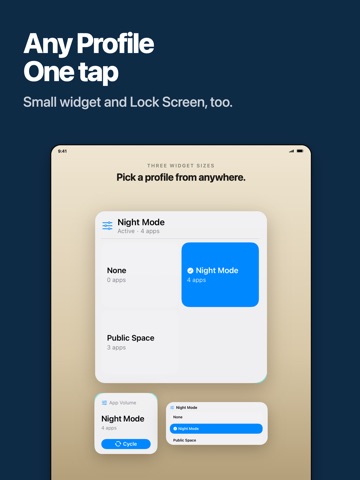
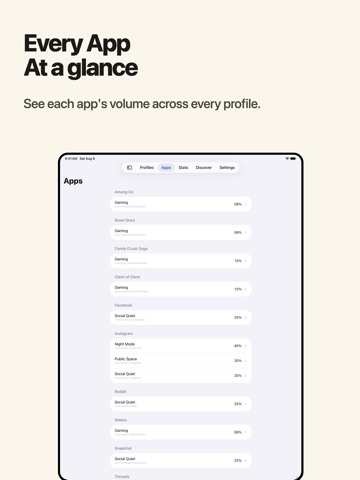
App Volume: a volume per app — the per-app volume control iPhone & iPad have been missing. Going from a quiet podcast to TikTok? No more eardrum panic. Each app gets its own volume — and now a second one just for headphones. Stop mashing the side button every time you switch apps. App Volume uses Apple's official Shortcuts engine — no jailbreak, no warranty risk, no privacy trade. — WHY IT EXISTS — iOS has ONE global media volume: whatever you played last sets the level for whatever you open next. Spotify-to-TikTok startles everyone on the bus, and your ears want different levels on headphones than on the speaker. Apple never built per-app volume — so we did, the official way, on Apple's own Shortcuts engine. — HOW IT WORKS — 1. Create a volume profile and add your apps with their target volumes (TikTok 30%, Podcast 70%, Netflix 80%). 2. The in-app guide walks you through installing our pre-built template in Apple Shortcuts (one-time; every app you add later just works). 3. Follow the in-app animation to set up one Personal Automation — switching apps auto-applies the right volume. 4. Add the widget to Lock Screen, Home Screen, or Control Center — tap to switch the whole profile in one go. — NEW: HEADPHONE VOLUMES — Turn on "Different volume on headphones" for any app and it gets a second, headphone-only level — applied the moment your AirPods or Bluetooth headphones connect, switched back when they disconnect. Quieter reels in your ears, louder maps on the speaker. — USE CASES — • A volume per app — Podcast 70%, music 60%, video 80%. Set once; switching apps auto-applies. • Ears vs room — TikTok at 25% on AirPods, 60% on the speaker. • Night vs day — Tap the widget before bed to drop every app's volume at once. • Out vs home — A "Public" profile with everything low; tap before walking into the office or class. — FEATURES — • Per-app volume targets — an independent volume for any app • Headphone volumes — a second per-app volume that applies while headphones are connected • Volume profiles — bundle rules into named profiles, swap the whole set instantly • Global rules — pin an app's volume across every profile; great for games that should always open muted • Ready-made profiles — browse Discover, install Bedtime or Silent Game Ads in one tap • Share your setup — send any profile as a picture + link a friend can import • Widgets everywhere — Lock Screen, Home Screen, Control Center (iOS 18+): see the active profile, tap to switch • Switch notifications — silent banner when a profile applies (vibrate-only or off) • iCloud backup — profiles backed up to your iCloud • 46 languages — GOOD TO KNOW — Honest limits, no surprises: • One volume at a time: App Volume sets the system volume the moment you open or switch to an app. iOS can't mix two apps playing at once — a video during a Discord call shares one level, and no App Store app can change that. • It shines with apps you actively open and switch between. Audio already playing in the background keeps its level until you return to that app. • Headphone switching needs Bluetooth — wired headphones can't trigger it; volumes correct the next time you open the app. — PRIVACY FIRST — • No tracking — crash reports + basic analytics, that's it • No microphone, no location, no contacts • Full transparency — the in-app FAQ details exactly how the Shortcuts integration works • Privacy Policy in Settings → Privacy — SUPPORT — In-app FAQ for setup help, and a feedback button that reaches us directly — we read every message. Built for iPhone and iPad. From a one-person studio. Transparent development. Terms of Use (EULA) : https://www.apple.com/legal/internet-services/itunes/dev/stdeula/
Latest release
What’s New
Clearer setup tutorials throughout, plus bug fixes and polish.
Audience growth
Ratings growth
Baseline captured. Growth appears after the crawler observes a changed rating count.
Momentum comes from crawler snapshots for the tracked storefront. “Viral growth signal” means unusually fast recent rating gains; it is an indicator, not download data.
Price tracking
Price intelligence
First snapshot captured. The trend line starts after the next crawler price observation.
- First observed Aug 21, 2026 · 1:52 AM Free
Screenshots