About this app
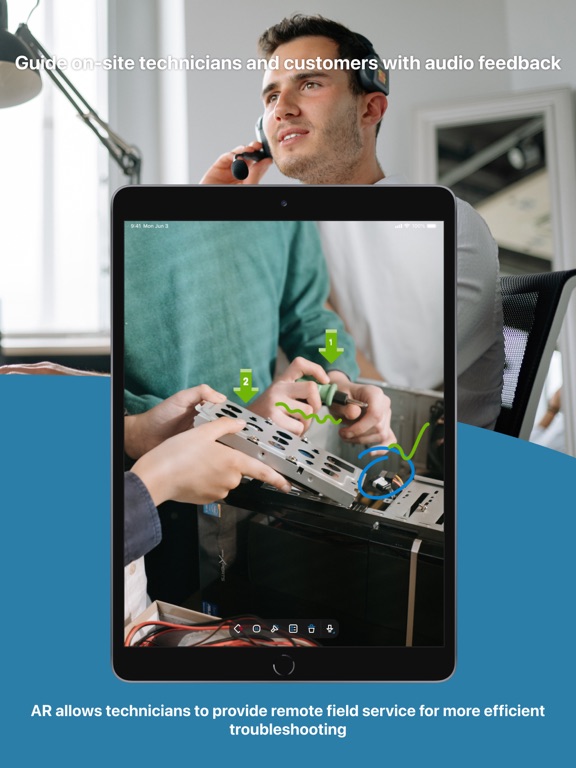
Solve problems faster with remote support using augmented reality. Enable your remote technician to connect to off-site locations and troubleshoot issues by easily seeing the environment as if they were there. Leverage camera sharing from your mobile device along with interactive augmented reality annotations and two-way communication to troubleshoot, guide, and resolve issues live. Quick Guide: 1. Download and launch AR On-Prem app on your iPhone/iPad. 2. Share the session ID with your remote technician. 3. That’s it! Your technician can now provide the remote support you need! *Technician will need to subscribe AR feature from Splashtop On-Prem license to utilize. *AR feature is supported by Splashtop Gateway v3.28.0+ and Splashtop On-Prem app v3.6.8.0+ Key Features: - Cross-Platform - Bidirectional camera sharing between desktop and mobile - Interactive AR annotations - Two-way VoIP communication - Session recording - Session notes - Freeze frame - Remote turn flashlight on/off - SSO integration - Device management - User management
Latest release
What’s New
- SOS On-Prem app is compatible with Gateway v3.28.x or higher. - New Feature: Xcode 16 Compliance - Support dark mode app icon. - Improvements and bug fixes
Audience growth
Ratings growth
Baseline captured. Growth appears after the crawler observes a changed rating count.
Momentum comes from crawler snapshots for the tracked storefront. “Viral growth signal” means unusually fast recent rating gains; it is an indicator, not download data.
Price tracking
Price intelligence
First snapshot captured. The trend line starts after the next crawler price observation.
- First observed Aug 17, 2026 · 12:23 AM Free
Screenshots