About this app
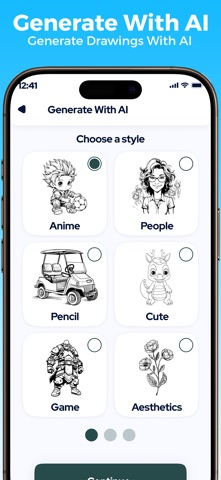
AR Sketch App: Draw & Paint is the premier drawing and tracing app designed for artists of all skill levels. Whether you’re a beginner finding your artistic voice or a seasoned professional perfecting your craft, AR Sketch App: Draw & Paint offers the tools you need to bring your visions to life. This intuitive app combines powerful features with a user-friendly interface, making it easy to sketch, trace, and create stunning artwork right from your device. Unleash your creativity with Trace to Sketch, the ultimate app designed for artists, designers, and sketching enthusiasts! Whether you're a beginner or a seasoned professional, AR Sketch App: Draw & Paint offers a seamless and intuitive platform to bring your ideas to life. AR Sketch App: Draw & Paint is one of the most innovative apps that allow people to transform pictures into beautiful sketches in an easy way. Within just a few taps, you can trace your photos into artistic sketches. Whether you are a professional artist or simply an enthusiast who uses the great tools from Photo to produce cool sketches, you may get a fantastic sketch designed. Discover a new dimension of creativity with AR Sketch App: Draw & Paint. This cutting-edge app combines advanced augmented reality (AR) technology with powerful drawing and painting tools, providing artists of all skill levels with an immersive and intuitive platform for creating stunning artwork. Whether you’re sketching, painting, or exploring new artistic techniques, AR Sketch App: Draw & Paint has everything you need to bring your imagination to life. Main Features - AI tools to create sketches: Tools that use artificial intelligence to make drawings. - Sketch pad to draw sketches: A pad or notebook for drawing pictures. - Writing words with different font styles: Writing words in various styles of letters. - Browse sketches through the internet: Look at drawings online. - Record videos from sketches: Make videos using drawings. - Taking pictures from a sketch: Take photos of a drawing. - Favorite your sketches: Mark your drawings as favorites. - Draw and trace using AR sketch technology. - Color and complete your artwork. - Access over 1,000 free templates for painting and tracing. - Explore many tracing genres like animals, nature, food, anime, and more. - Easily convert your images into drawings using an AI tool. - Record time-lapse videos of your drawings to capture and refine your process. - Enhance your sketches with different options to create complete photo drawings. - User-friendly design makes it easy for both beginners and experienced artists. - Unleash your creativity and bring your ideas to life.
Latest release
What’s New
UI/UX Improved Bugs Fixed
Audience growth
Ratings growth
Baseline captured. Growth appears after the crawler observes a changed rating count.
Momentum comes from crawler snapshots for the tracked storefront. “Viral growth signal” means unusually fast recent rating gains; it is an indicator, not download data.
Price tracking
Price intelligence
- First observed Aug 6, 2026 · 8:48 PM Free
Screenshots