About this app
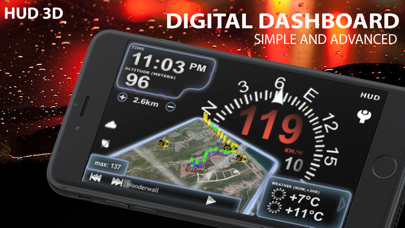
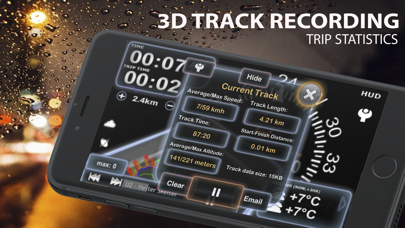
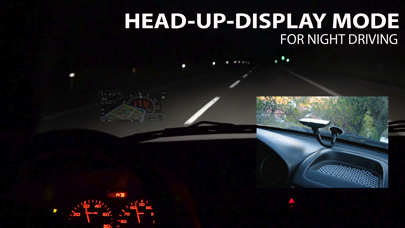
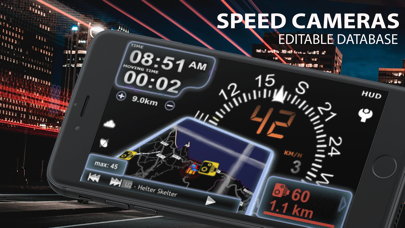
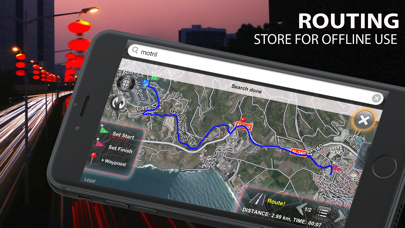
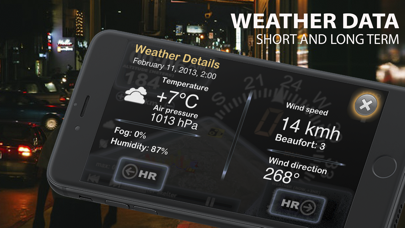
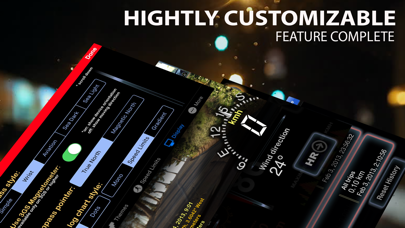
Advanced car digital dashboard combining map, routing, tracking, photo and speed cameras functionality wrapped into nicely polished 3D user interface. Key features: - HUD MODE - EDITABLE FIXED AND REDLIGHT SPEED CAMERAS DATABASE - UNIQUE COMBINED SPEED, LOCATION and ALTITUDE 3D LOG GRAPH - SHORT-TIME WEATHER FORECAST - IPOD PLAYLIST REMOTE CONTROL - PHOTO CAMERA WITH IMAGE MARKING aSmartHUD visualizes your - current and average speed - time - elapsed trip time - heading - altitude - distance/time to stored Home location - distance to the trip starting point - maximum reached speed, altitude and distance to starting point for the current trip and all the trips your ever did, - current playing music track - weather forecast for nearest 48 hours the with 3-hour time interval. Also it shows - positions of the nearest known speed cameras - color coded distance to the nearest known speed camera and it's speed limit, if known; The fixed cameras database includes an information about speed cameras in - Europe (whole EU) - USA - Canada - Australia - New Zealand - Brazil - South Africa - Singapore - United Arab Emirates - Taiwan - HongKong - Kuwait - Russia - Thailand You can edit the database by adding or removing the speed cameras and set cameras speed limit. NOTE: It's not guaranteed all speed cameras in your area are included into the database. However, we will release database updates right after the new information will become available. - Tapping the "HUD" icon mirrors all the text, so if you position the iPhone horizontally under your car's windscreen you can see perfectly readable half-transparent reflection of the picture displayed. Note: this mode works pretty well at night time and twilight, but on direct sunlight the screen brightness can be insufficient. - aSmartHUD can keep track on 4 speed limits, giving a warning each time you crossing it. Normally, it's legal speed limits within cities, local roads and high-speed motorways. "Never exceed speed" is the speed you should not exceed under any conditions. Like technical limit of your vehicle or the point where government can arrest your driving license. - 3D Trip Log Graph - unique way to represent the speed, location and altitude data in a single 3D graph. Color coded speed and altitude chart is constantly adjusted according to your moving trajectory. In Track Preferences, you can set the transparency of all the components of the chart or switch them off completely. - Apple and OpenStreet maps in several flavors and color modes. - Landscape and portrait screen modes. - "Records" screen, with maximum reached speed, altitude and distance from start. - Different measurement units, display color schemes (6 available), log type, sounds and more. - Select the music iPod Playlist, pause, play, skip or rewind it's items, set the player in Shuffle or Repeat mode. - Advanced location Info (longitude and latitude, GPS measurement precision) and more. - Local weather forecast;
Latest release
What’s New
- Tested on latest iOS;
Audience growth
Ratings growth
Baseline captured. Growth appears after the crawler observes a changed rating count.
Momentum comes from crawler snapshots for the tracked storefront. “Viral growth signal” means unusually fast recent rating gains; it is an indicator, not download data.
Price tracking
Price intelligence
First snapshot captured. The trend line starts after the next crawler price observation.
- First observed Aug 24, 2026 · 10:27 PM $0.99
Screenshots