About this app
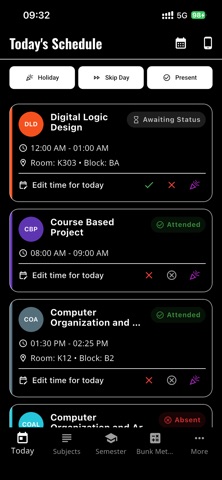
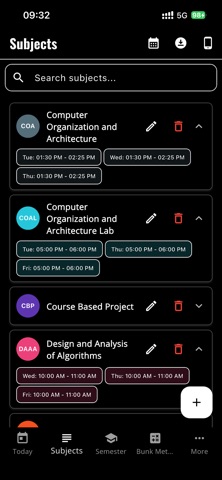
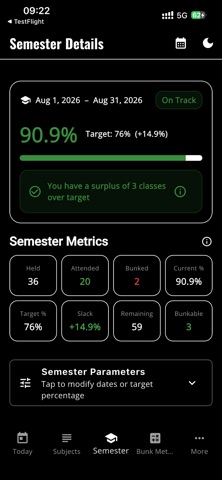
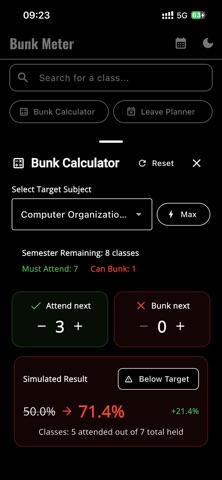
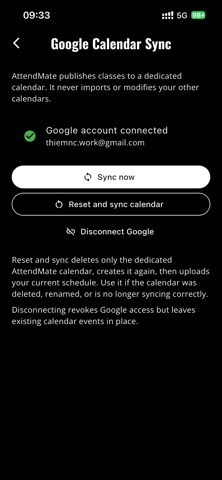
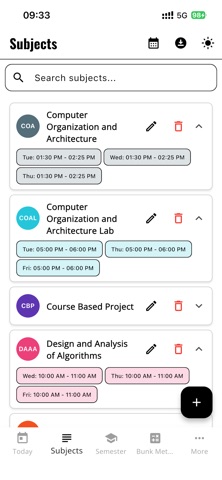
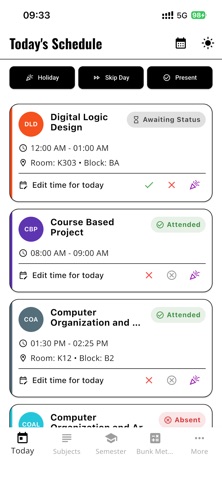
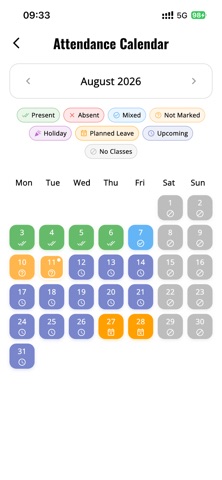
AttendMate is a simple and flexible attendance tracker designed for students. Track your class attendance, organize semester schedules, and monitor attendance percentages for every subject. See how many classes you can safely skip, simulate future attendance, and stay above your required target. Perfect for students who want an easy way to manage attendance and class schedules without creating an account. • Attendance Tracker Quickly mark classes as Present, Absent, Cancelled, or Unmarked. Swipe class cards to update attendance even faster. • Class Schedule Manage subjects, weekly schedules, special one-day classes, rooms, and timetable changes in one place. • Bunk Meter See how many classes you can safely skip without falling below your attendance target. • What-If Calculator Simulate attending or missing future classes and see how your attendance percentage may change. • Attendance Calendar Review your attendance history and planned absences with a clear calendar view. • Leave Planner Plan one-day or multi-day absences and preview which classes will be affected. No calendar connection is required. • Timetable Import & Export Import and export timetables using JSON or CSV, with preview and validation. You can also export timetable summaries as PDF. • Semester Backup Create local semester backups and restore them when needed. AttendMate retains the latest three local backup copies. • Optional Location Attendance Save classroom locations and optionally use location-assisted checks near class time. AttendMate remains fully usable when location access is disabled or denied. • Notifications Receive reminders after classes and mark attendance directly from notification actions. • Flexible Time Input Choose between a Material time dialog and an iOS-style scroll wheel time picker. • Offline Core Experience Your attendance records, subjects, schedules, saved classroom locations, and backup files are stored locally on your device. No account is required. AttendMate uses limited app-usage analytics and crash diagnostics to improve reliability and performance. Attendance records and classroom coordinates are not uploaded by AttendMate.
Latest release
What’s New
AttendMate 2.3.1 focuses on making attendance tracking more accurate, reliable, and easier to understand. What’s new: • A collapsible Needs attention card highlights subjects below or close to target. • Improved weekly and monthly Reports with clearer trends, target guidance, and a Calendar shortcut. • Future holidays are now included in remaining-class predictions. • Timetable copying now shows a confirmation preview before replacing classes or attendance marks. • More dependable automatic backups, configurable schedules, protected manual backups, and pre-restore snapshots. Fixes: • Pending and upcoming classes no longer distort attendance percentages or advice. • Semester, Bunk Meter, Reports, warnings, What-if, and widgets now use consistent attendance calculations. • Moved classes are no longer double-counted. • Deleting a timetable occurrence now also cleans up its matching attendance record. • Timetable updates preserve historical attendance. • End-of-day auto-marking is safer and no longer risks overwriting existing attendance data.
Audience growth
Ratings growth
Baseline captured. Growth appears after the crawler observes a changed rating count.
Momentum comes from crawler snapshots for the tracked storefront. “Viral growth signal” means unusually fast recent rating gains; it is an indicator, not download data.
Price tracking
Price intelligence
First snapshot captured. The trend line starts after the next crawler price observation.
- First observed Sep 4, 2026 · 1:58 AM Free
Screenshots