About this app
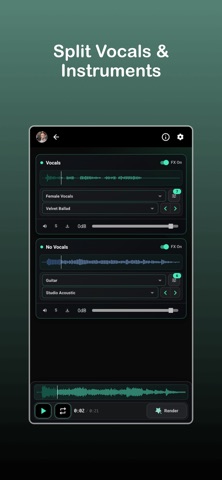
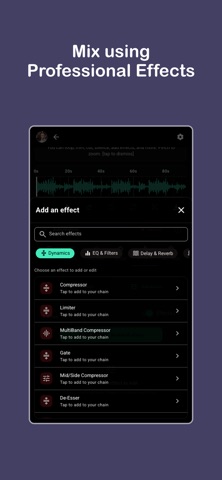
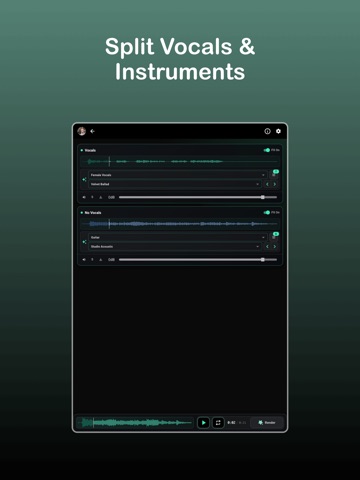
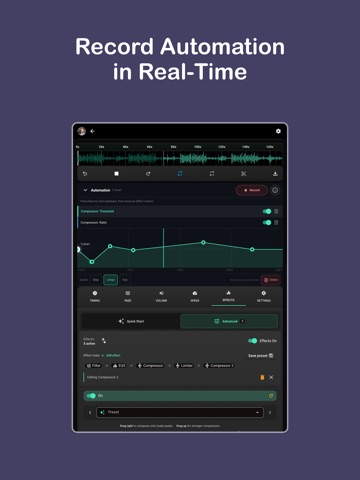
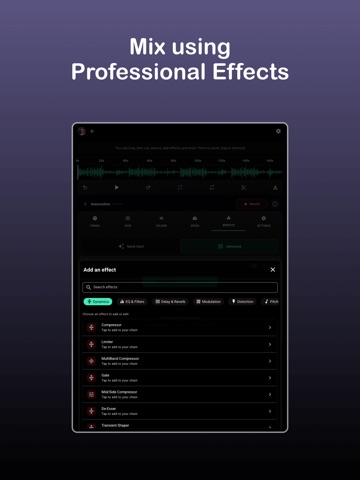
Audio Lab is a focused tool for turning raw recordings into finished, shareable content. It is built for artists who want a simple way to produce audio without getting lost in complex workflows. You start by uploading audio or video. From there, you can shape and refine it step by step - mix, add professional effects, automation. You can record automation in real time for any effect parameter - which gives flexibility and endless possibilities for your production. You can split vocals and instruments using a stem separation feature - giving you control over each part of the sound. This opens up new possibilities. You can clean up a vocal, remix a track, or focus on specific elements without starting from scratch. Audio Lab also includes a range of professional effects. You can enhance clarity, adjust tone, and shape the overall sound directly inside the app. The goal is not to overwhelm you with options, but to give you what you need to get a clean, polished result. There are 20+ professional effects, including reverb, delay, compressors, eq and more. There are also presets for various types of sound - male/female vocals, guitar, bass, drums, piano etc. Everything happens in a simple, controlled environment - You make changes, hear them immediately, adjust. This keeps the process fast and intuitive, especially if you don’t want to spend time learning a full DAW. It works for different types of creators. Singers can record and refine vocals. Musicians can process demos. Content creators can improve audio for videos. The tool adapts to different use cases without changing how it works. There is no complicated routing or setup. No need to manage large projects or timelines. Audio Lab focuses on a single goal: take an existing piece of audio or video and make it sound better. Export is simple. Once you are done, you can export your audio or video and use it anywhere. Share it, upload it, or move it into another tool if needed. It also includes professional mastering built in - with presets for different styles and genres. It keeps things clean, removes friction and lets you focus on the result, not the process. You don’t need to think about how to produce. You just improve what you already have. You explore, listen & create - That’s the core idea behind Melodic Mind. Let music feel natural again. Terms of Use (EULA): https://www.apple.com/legal/internet-services/itunes/dev/stdeula/ Privacy Policy: https://melodic-mind.com/privacy-policy
Latest release
What’s New
- New Design - New Sound effects - Record automation in real time for any parameter
Audience growth
Ratings growth
Baseline captured. Growth appears after the crawler observes a changed rating count.
Momentum comes from crawler snapshots for the tracked storefront. “Viral growth signal” means unusually fast recent rating gains; it is an indicator, not download data.
Price tracking
Price intelligence
First snapshot captured. The trend line starts after the next crawler price observation.
- First observed Aug 20, 2026 · 12:20 AM Free
Screenshots