About this app
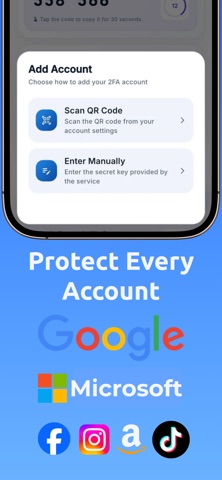
Authenticator is a secure, modern 2FA app that generates TOTP and OTP codes for all your accounts. Protect your online identity with multi-factor authentication, encrypted backups, and instant QR code scanning. SECURE TWO-FACTOR AUTHENTICATION Add an extra layer of security to your online accounts. Authenticator generates time-based (TOTP) and counter-based (HOTP) one-time passwords that refresh automatically. Supports SHA-1, SHA-256, and SHA-512 algorithms with customizable code lengths and refresh intervals. EASY SETUP — SCAN & GO Point your camera at any QR code to add an account in seconds. Switching from another app? Import all your accounts at once with batch QR code migration. You can also add accounts manually if you prefer. BUILT FOR PRIVACY & SECURITY Your data stays yours. All account data is encrypted with AES-256 on your device. OTP secrets are stored separately in your device's secure enclave. Lock the app with Face ID, Touch ID, fingerprint, or a custom PIN. Auto-lock kicks in when you step away, and your clipboard clears automatically after 30 seconds. ORGANIZE YOUR WAY Group accounts into custom categories, pin your favorites to the top, and reorder with drag-and-drop. Find any account instantly with real-time search. Choose from 125+ service icons that are automatically matched to your accounts — or pick your own colors. ENCRYPTED BACKUP & RESTORE Never lose your codes. Create encrypted backup files protected by a master password that only you know. Restore your accounts on any device with your backup file and password. Your secrets are protected with AES-256-GCM encryption end-to-end. HOME SCREEN WIDGETS Access your most-used codes without opening the app. Pin up to 5 accounts to your home screen widget for one-glance verification. Codes refresh in real-time right on your home screen. PREMIUM FEATURES Upgrade to unlock home screen widgets, premium icon packs, encrypted cloud backup with cross-device sync, and priority access to new features. Subscription options: - Weekly plan with 3-day free trial - Annual plan (best value) Payment will be charged to your Apple ID account at confirmation of purchase. Subscription automatically renews unless canceled at least 24 hours before the end of the current period. Your account will be charged for renewal within 24 hours prior to the end of the current period. You can manage and cancel your subscriptions by going to your account settings on the App Store after purchase. Terms of Use: https://smart-authenticator.netlify.app/terms Privacy Policy: https://smart-authenticator.netlify.app/privacy Support: https://smart-authenticator.netlify.app/support
Latest release
What’s New
We improved the overall app experience to make your authenticator faster, smoother, and more reliable. In this version: • Performance improvements • Small interface refinements • Minor bug fixes • Better stability when accessing your 2FA codes Thank you for using the app.
Audience growth
Ratings growth
Baseline captured. Growth appears after the crawler observes a changed rating count.
Momentum comes from crawler snapshots for the tracked storefront. “Viral growth signal” means unusually fast recent rating gains; it is an indicator, not download data.
Price tracking
Price intelligence
First snapshot captured. The trend line starts after the next crawler price observation.
- First observed Aug 16, 2026 · 10:06 PM Free
Screenshots