About this app
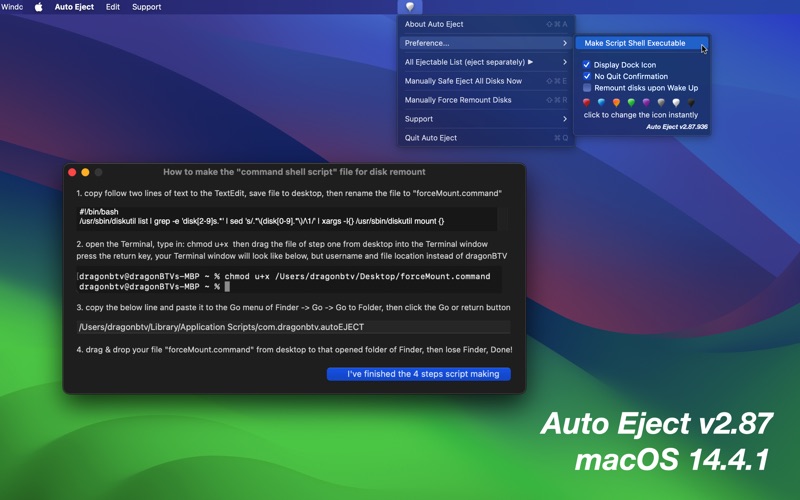
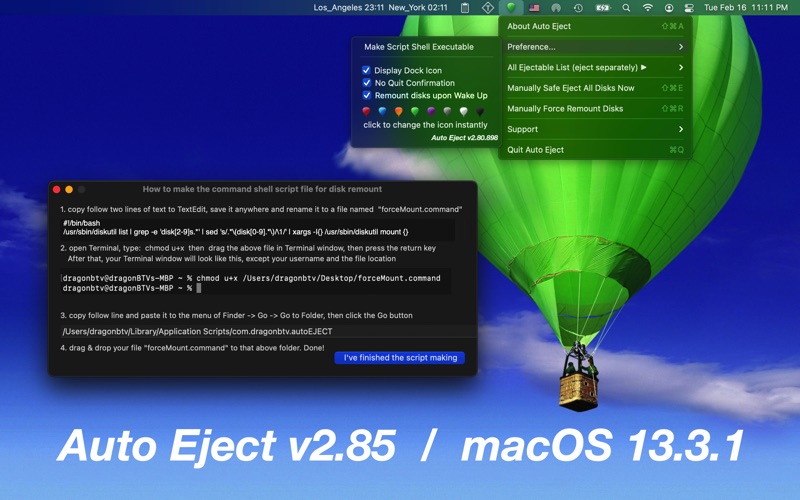
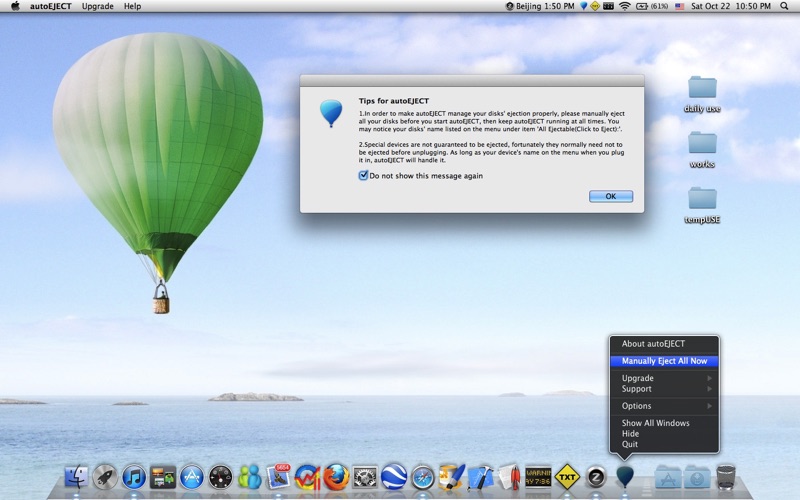
Every time you sleep or shut down your Mac, Auto Eject will safely unmount (eject) all your removable disks in the background. Never care about those connected external drives before a clamshell close of your Macbook again. Auto Eject(autoEJECT) will automatically eject all your removable disks when you close your MacBook's lid and will remount them upon Mac's wakeup! Your external disks, flash drives, USB devices, SD cards, Firewire backup disks, DVDs, and even mounted dmg files will be safely ejected automatically when your Mac sleeps. Besides remounting all USB flash drives, it can also force all ejected portable hard disks to remount upon wake-up... "I coded this app because I always forget to eject my iPod and flash drives before I close the lid of my Macbook Air and just yank it out of the computer at the last minute before running out… Each time I open the lid again, the red alert will pop up, telling me to be good! " - Jiulong, 2011 With the help of Auto Eject(autoEJECT), all your removable will be automatically ejected BEFORE your Mac goes to sleep and reconnects when it wakes up. That way, your files, Mac system, and devices are kept safe and secure. Of course, you can also use it as a device ejector to eject devices individually and manually. features: - automatically ejects all removable disks i.e.: iPods, flash drives, USB devices, Firewire drives, DVDs, and even opened dmg files - simple status menu operation, easy and handy - all disks can be ejected individually by simply clicking their name - all disks can be ejected at once at one click Version History: v2.00 -> v2.02 - 'hide dock icon' option was added according to the user's feature request v2.02 -> v2.05 - add the option "Change Menu Icon Color Instantly" according to the user's feature request. - 'more by dragonBTV' panel updated v2.05 -> v2.20 a very important upgrade according to the user's feature request - add an option of force remounting all portable hard disks upon waking up automatically - app tips modified - more by dragonBTV panel updated v2.20 -> v2.28 - fix bug of "mounted disk list become empty after restart under OS 10.8" v2.28 -> v2.30 - more verification of removable partitions v2.30 -> v2.80 - Any Mac (Apple Silicon, Intel) version for macOS Big Sur - 'auto-open at login' tip added - startup tip added - control interface modified - quickly detect all already mounted disks and refresh the disk list - user command shell script making added for force remount all disks function under Sandbox - app menu updated - app version display added - app icon color changed - support menu updated - all deprecated functions rewritten v2.80 -> v2.85 - all deprecated code rewritten - More by dragonBTV menu updated v2.85 -> v2.87 - command shall script-making interface modified - start-up tip modified - partly re-coded for the current macOS 14.4 and upcoming Tips: 1. To make autoEJECT manage your disks' ejection properly, please manually eject all your disks before you start autoEJECT, then keep autoEJECT running at all times. You may notice your disks' name listed on the menu under the item 'All Ejectable(Click to Eject):'. 2. Special devices are not guaranteed to be ejected, fortunately, they normally need not be ejected before unplugging. As long as your device's name is on the menu when you plug it in, autoEJECT will handle it. 3. Not as fast as the modern flash drive, some old USB portable hard disks may take additional time to wake themselves up or go to sleep. You may notice the actions by their sounds, so please just wait a few more seconds. :) 4. If some of your external hard drives do not remount themself automatically when Mac wakes up, please make the new option 'Force Remount upon Wake Up' checked.
Latest release
What’s New
v2.85 -> v2.87 - command shall script-making interface modified - start-up tip modified - partly re-coded for the current macOS 14.4 and upcoming
Audience growth
Ratings growth
Baseline captured. Growth appears after the crawler observes a changed rating count.
Momentum comes from crawler snapshots for the tracked storefront. “Viral growth signal” means unusually fast recent rating gains; it is an indicator, not download data.
Price tracking
Price intelligence
First snapshot captured. The trend line starts after the next crawler price observation.
- First observed Aug 7, 2026 · 10:49 PM $7.99
Screenshots