About this app
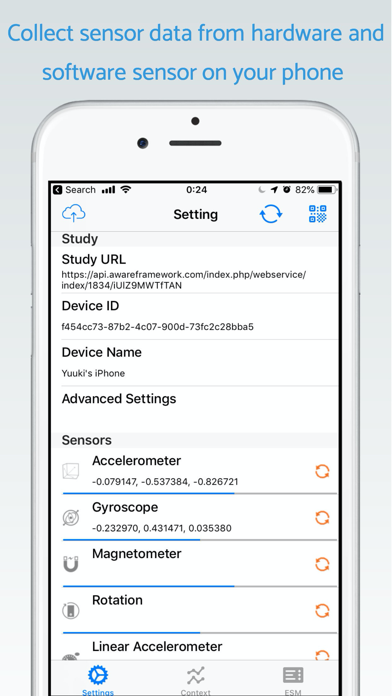
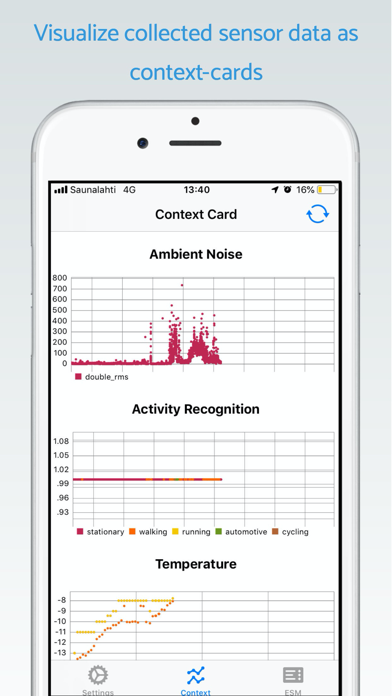
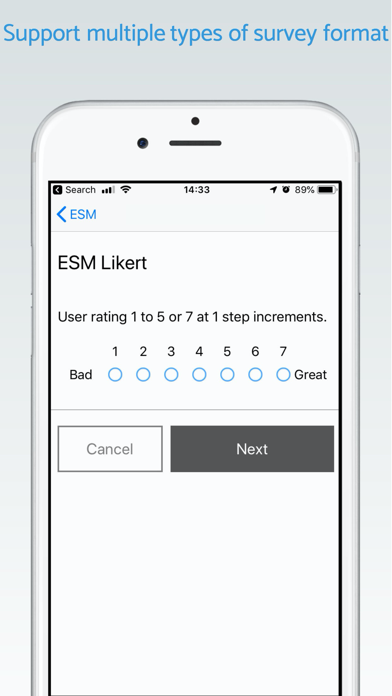
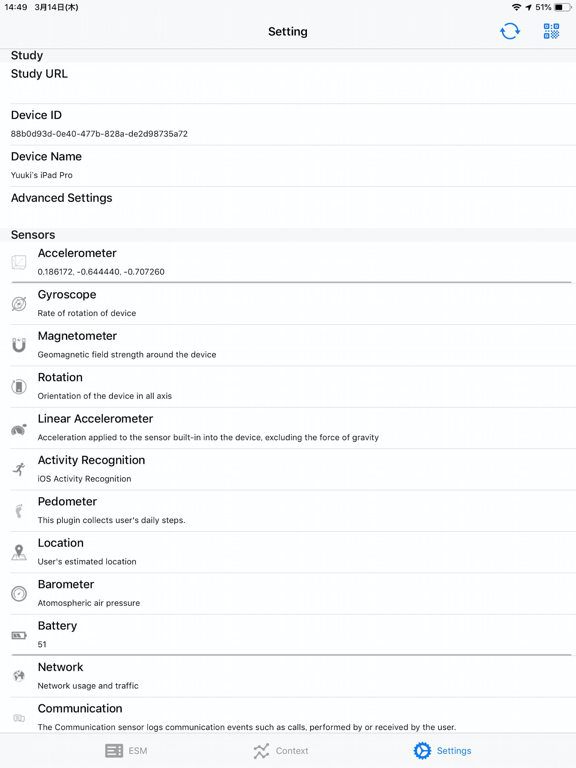
[About AWARE Client] AWARE Client V2 is a sensing framework dedicated to an instrument, infer, log and share mobile context information, for smartphone users and researchers. AWARE captures hardware-, software-, and human-based data. [Individuals: Record your data] This app allows us to collect user’s activity data (such as location, steps, and mobility types) automatically. As a part of the activity data, this app collects heart-rate, sleep, and workout data via HealthKit API if the user allows the app to access HealthKit API. In addition, By using the AWARE Dashboard, you can enable or disable sensors. Privacy is enforced by design, so AWARE does not log personal information, such as phone numbers or contacts information. Also, the data is saved locally on your mobile phone temporarily. AWARE uploads the data to the AWARE server automatically if the device has a Wi-Fi network and is charged the battery. [Scientists: Run studies] Running a mobile-related study has never been easier. Install AWARE to the participants' phone, select the data you want to collect and that is it. If you use the own AWARE server, you can set a mobile questionnaire. [How to use AWARE Client iOS] 1. Set a study on AWARE Dashboard 1-1. Please access to AWARE Dashboard by a web browser Make a study by "Create Study" button 1-2. Select required sensors from a sensor list for your study 1-3. Make a QR code by "Show QRcode" button 2. For joining the study, please read the QR code by a QR code reader on the AWARE client 3. AWARE collects and uploads your contexts in the background automatically 4. You can quit the study by 'Quit Study' button [Supported Sensors] AWARE allows us to collect the following sensor data: - Location (GPS, Barometer, Wi-Fi, and Bluetooth) - Motion (Accelerometer, Gyroscope, Gravity, Linear Accelerometer, Magnetometer, and Activity Recognition) - Ambient Noise (Audio Features) - Device Usage (Screen State and Phone Call Events) - Network State (Wi-Fi or Mobile Network) - Timezone - Weather Data (from Open Weather Map) - BLE Devices (heart rate) - HealthKit - Calendar Events - Web APIs (Fitbit) - ESM: Experimental Sampling Method (Mobile Questionary) ** NOTE ** This application uses a location sensor in the background. Continued use of GPS running in the background can dramatically decrease battery life. In addition, this app may use your location even when it isn’t open, which can decrease device battery life.
Latest release
What’s New
Fixed minor issues
Audience growth
Ratings growth
Baseline captured. Growth appears after the crawler observes a changed rating count.
Momentum comes from crawler snapshots for the tracked storefront. “Viral growth signal” means unusually fast recent rating gains; it is an indicator, not download data.
Price tracking
Price intelligence
First snapshot captured. The trend line starts after the next crawler price observation.
- First observed Aug 26, 2026 · 12:43 AM Free
Screenshots