About this app
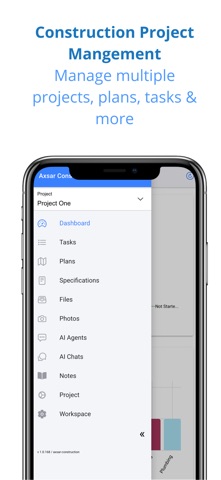
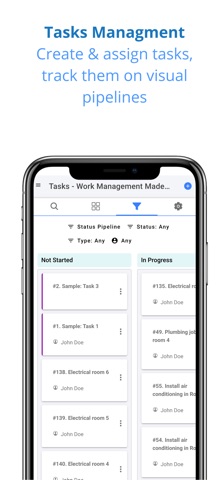
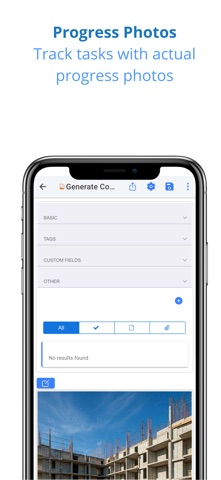
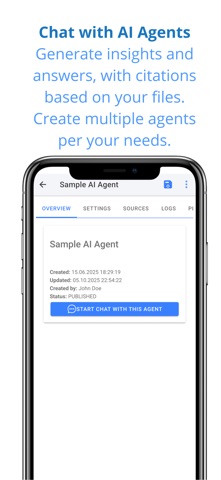
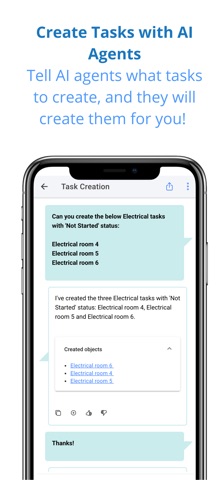
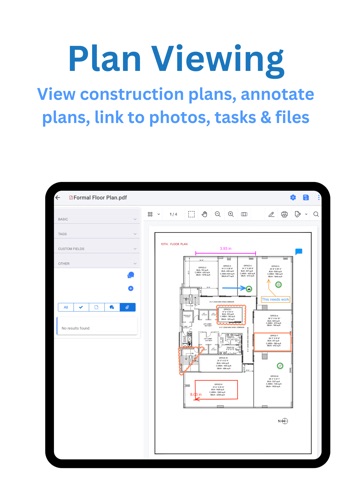
Axsar Construction Cloud brings your construction projects, teams, and data together in one powerful platform — enhanced with Generative AI. Manage tasks, track progress, view plans, and instantly get answers from your project documents using AI-powered chat. Whether you’re a project manager, engineer, or contractor, Axsar Construction helps you stay on top of every detail — from plan viewing to task completion — across multiple projects. FEATURES Plan Viewer • View drawings and plans in high resolution • Add notes, markups directly on plans • Keep everyone working from the most up-to-date version Visual Task Management • Manage and track work using a visual pipeline • Assign owners, priorities, and due dates • Monitor progress through photos and real-time updates • Get instant task assignment notifications to stay aligned Field Collaboration Tools • Capture and share progress photos from the job site • Complete and manage checklists easily • Add custom fields for project-specific data • Upload and organize project plans, specifications, files and photos securely AI-Powered Project Insights • Chat with multiple specification files using Gen AI agents • Instantly find answers, insights, or clarifications from your documents • Save hours by letting AI do the searching for you • Gen AI agents can also quickly create multiple tasks for you Reports • Get daily project update PDF reports via email Multi-Project Management • Manage all your construction projects in one app • Standardize templates, checklists, and workflows • Gain visibility across teams and project performance WHY AXSAR CONSTRUCTION CLOUD? • Modern, intuitive, and easy to use • Streamlines field-to-office communication • Enhances productivity with AI-powered insights • Keeps your entire project connected and informed • Use it anywhere, on mobile or web. An account is required to use this app. Terms of Use https://www.axsar.com/terms-of-use/ Privacy Policy https://www.axsar.com/privacy-policy/
Latest release
What’s New
Technical updates for Construction Management app
Audience growth
Ratings growth
Baseline captured. Growth appears after the crawler observes a changed rating count.
Momentum comes from crawler snapshots for the tracked storefront. “Viral growth signal” means unusually fast recent rating gains; it is an indicator, not download data.
Price tracking
Price intelligence
First snapshot captured. The trend line starts after the next crawler price observation.
- First observed Aug 18, 2026 · 12:02 AM Free
Screenshots