About this app
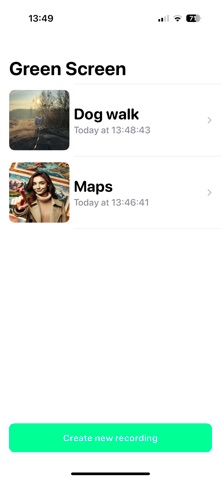
Green Screen! app is a versatile tool for live video editing. It uses advanced background removal technology to detect and erase the background in real-time. Users can replace the erased background with any photo of their choice, creating dynamic and professional-looking videos on the go. The app is ideal for content creators, educators, and anyone looking to add a creative touch to their videos without the need for a physical green screen. Key features include: Real-time Background Removal: Instantly removes the background while recording live video. Custom Backgrounds: Allows users to upload and use any photo as the replacement background. High-Quality Output: Ensures seamless integration of the foreground with the chosen background. User-Friendly Interface: Intuitive controls for effortless setup and customization. This app empowers users to produce engaging content with ease, making it a must-have for mobile video production. This app uses subscriptions for pro features for periods: 1 year, 1 month, 1 week. – Payment will be charged to iTunes Account at confirmation of purchase – Subscription automatically renews unless auto-renew is turned off at least 24-hours before the end of the current period – Account will be charged for renewal within 24-hours prior to the end of the current period – Subscriptions may be managed by the user and auto-renewal may be turned off by going to the user's Account Settings after purchase Terms of Use & Privacy Policy: https://transparentnotes.com/iOSApp.html
Latest release
What’s New
Green Screen is now Background Eraser — same app, new name, and our biggest update yet. NEW: PHOTO CUTOUTS • Erase the background from any photo in one click • Multiple people in the shot? Choose exactly which subjects to keep • Refine edges with feather, smoothing, and matte controls • Replace the background with solid colors, your own photo, and more • Export a transparent PNG, copy it, save to Photos — or drag it straight into another app on Mac NOW FREE TO USE • Replace video and photo backgrounds for free — exports carry a small watermark • Going Pro removes the watermark EDITOR IMPROVEMENTS • Drag, pinch, and rotate your subject right on the preview • Previews show your video at its true aspect ratio • Import videos from Files, and use any video as your background • Rename projects, smarter thumbnails, and a faster record-to-edit flow Everything still runs 100% on-device — your photos and videos never leave your device.
Audience growth
Ratings growth
Baseline captured. Growth appears after the crawler observes a changed rating count.
Momentum comes from crawler snapshots for the tracked storefront. “Viral growth signal” means unusually fast recent rating gains; it is an indicator, not download data.
Price tracking
Price intelligence
First snapshot captured. The trend line starts after the next crawler price observation.
- First observed Aug 7, 2026 · 11:48 PM Free
Screenshots