About this app
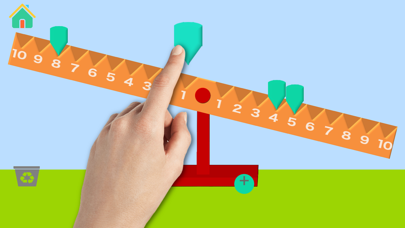
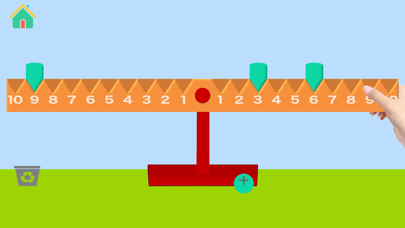
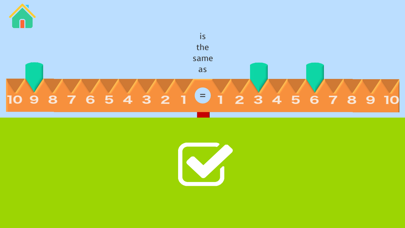
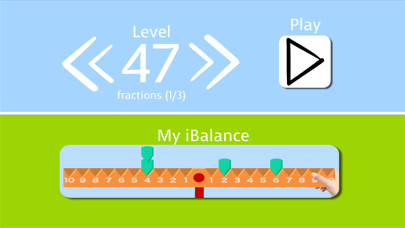
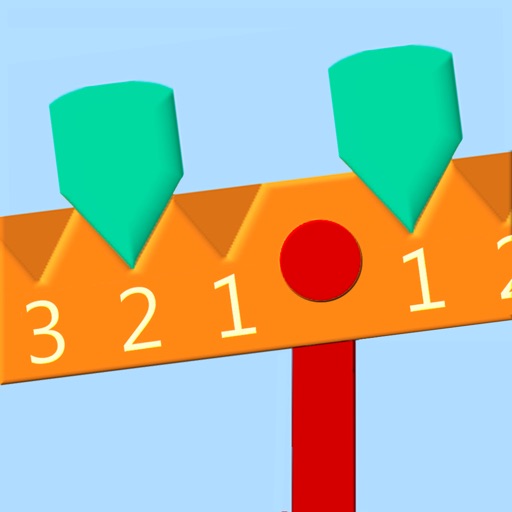
The math BalanzApp is a great tool for visualizing simple mathematical equations and number relationships. When a weight is placed on a number position (i.e. 6) on the balance, the weight appears to take on the numerical value of that position and causes the balance to tilt. In order to level the balance, a weight must be placed in the opposite side of the balance arm, either on the equivalent position(6) or two or more different positions that equal the same number (i.e. 5+1). Two activities are available with BalanzApp: • A Math Quiz with increasing challenging levels • An iBalance and weights to use in a free play mode. Suggested Activities for the free play mode with the BalanzApp: ORDERED PAIRS Find all the ordered pairs for a number by combining two weights to balance the opposite weight. For example, place a weight on the 10. To balance, place a weight on the 9 and on the 1 (9,1) and then on the 8 and on the 2 (8,2). Continue until all ordered pairs have been found. Find all the ordered pairs for several different numbers. EQUATIONS Create addition, subtraction, multiplication and division equations using the balance. Have the students discover the unknown variable or answer by experimenting with the placement of different weights in order to balance the arm. Examples: • ? + 4 = 7 (1 weight on the number 4 on the left side of the balance, 1 weight on the number 7 on the right side of the balance, students should add 1 weight to the 3 on the left side to balance.) • 6 x 4 = ? (4 weights on the number 6 on the left side of the balance, 2 weights on the 10 and 1 weight on the 4 on the right side of the balance.) • 24 divided by 6 = ? (start with 2 weight on the number 10 and 1 weight on the number 4 on the left side, place one weight on the 6 on the right side. Add 3 more weights onto the 6 to balance.)
Latest release
What’s New
This update from Apple will improve the functionality of this app. No new features are included. Minor bugs corrected
Audience growth
Ratings growth
Baseline captured. Growth appears after the crawler observes a changed rating count.
Momentum comes from crawler snapshots for the tracked storefront. “Viral growth signal” means unusually fast recent rating gains; it is an indicator, not download data.
Price tracking
Price intelligence
First snapshot captured. The trend line starts after the next crawler price observation.
- First observed Aug 24, 2026 · 12:35 AM Free
Screenshots